[rafflepress id="2"]

Table of Contents

  • Why Use a VPN for Spotify

  • How to Listen to Spotify with a VPN

  • Supported Devices for Spotify with VPN

  • Spotify VPN for All Your Devices

  • Key Technical Benefits of Using a VPN for Spotify

  • VPN vs Typical VPN: Spotify Streaming Comparison

  • User Reviews and Expert Recognition

  • Frequently Asked Questions About Spotify VPN


Why Use a VPN for Spotify?

A Spotify VPN helps overcome location-based limits tied to licensing, legal, and economic restrictions. Although Spotify operates in over 180 markets, it remains unavailable in some countries, including China, Cuba, North Korea, Russia, Syria, Turkmenistan, and Yemen, with limited access in parts of the developing world. Using a VPN for Spotify allows you to connect through a supported country and access the service where it’s otherwise unavailable.

A VPN is also useful when traveling. Free Spotify accounts have a 14-day travel limit, after which access may be restricted unless the account location is updated. A VPN helps maintain uninterrupted listening. In addition, many users rely on a Spotify premium VPN to avoid ISP throttling, improve streaming stability, and protect privacy on public Wi-Fi.

How to Use VPN on Spotify

1. Get ZoogVPN account

Create an account with ZoogVPN to start using a reliable VPN for Spotify. Once your account is set up, you’ll get access to fast, well-routed servers that help you use Spotify smoothly while traveling or living abroad, with a stable connection and added privacy.

2. Connect to any server that works with Spotify

Launch ZoogVPN on your device and connect to one of the server locations that work with Spotify. Choose the US, the UK, or the Netherlands and you will be able to listen to Spotify from anywhere in the world.

3. Start listening on Spotify

Once you are connected to the VPN, you can start listening to Spotify in their app. Simply open it, and start enjoying your favorite music or podcasts. No matter what country you are in!

One subscription for all household devices

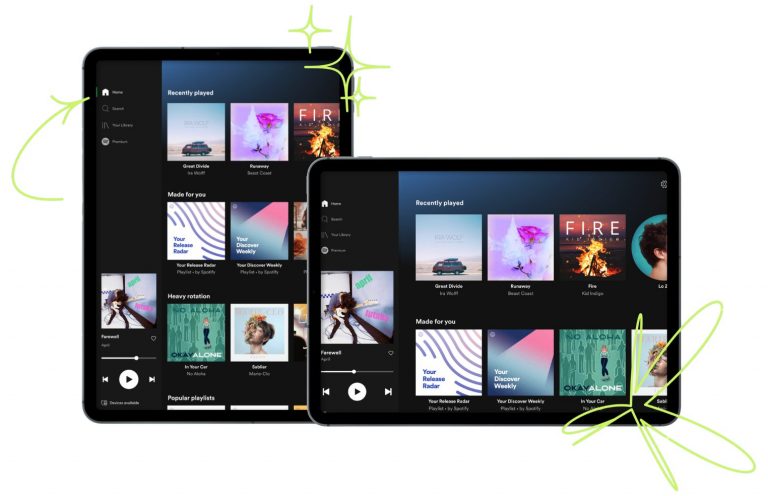
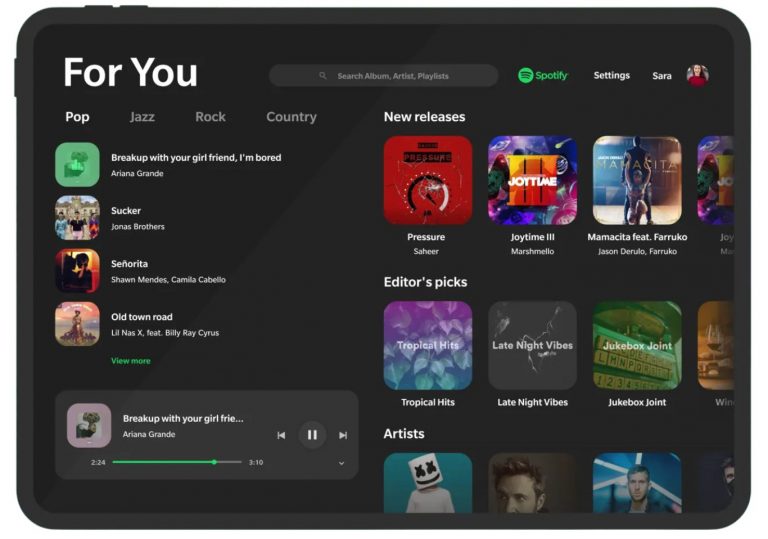
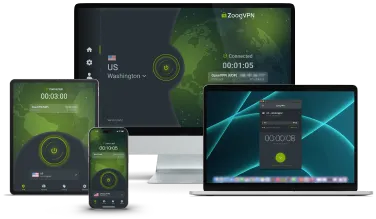
Wondering how to change location on Spotify while switching between devices and listening to music throughout the day? With a single Spotify VPN subscription, you can use Spotify securely on up to 10 devices at the same time without interruptions. Listen on your smartphone, laptop, or tablet, or stream at home on Smart TVs and media devices like Android TV or Amazon Fire TV Stick, all with the same stable and protected connection.

Also secure your Blackberry, Windows Phone, Kindle Fire, Chromebook and Routers.

Advanced Features

Your traffic is encrypted, your data is safe, and your internet access is uncensored.

shield

Best VPN Protocols Supported

The ZoogVPN macOS client is equipped with the fastest OpenVPN and IKEv2 protocols that have never been compromised.

kill-switc

Kill Switch

The built-in Kill Switch feature protects you in case of any unexpected VPN connection dropouts, so your IP address is never leaked.
leak-protection

Leak protection

Our software comes with advanced leakproofing, enabled by default, ensuring there are no IP or DNS leaks.

Optimized-for-speed

Optimized for Speed

The app is optimized for the best speeds possible with the lowest connection time to VPN servers.

bank-grade_encryption

Bank-Grade Encryption

Keep your data secure online and on public Wi-Fi with industry-leading bank-grade 256-bit encryption and a 2048-bit hash key.

split-tunneling

VPN on Demand

The app comes with a VPN on Demand feature that automatically reconnects your VPN to the most recent location if it is not connected.

Included with every ZoogVPN plan

Fast speed and high security

Unlimited bandwidth, bank-grade encryption, unlimited server switches, unlimited devices, 99.9% uptime.

Apps for every device

One-click install proprietary apps available for Windows, macOS, iOS, Android, FireTV & AndroidTV. No need to be a rocket scientist, we promise!

Round the clock 24/7 support

We offer 24/7 support with friendly and helpful staff available round-the-clock to help by instant chat, email or ticket.

FeatureZoogVPNMost Free VPNs
Streaming access✅ Works reliably with streaming services❌ Often blocked
Speed & stability✅ High-speed, optimized servers❌ Slow, unstable
Monthly traffic✅ Unlimited❌ Limited
Server locations✅ 100+ locations worldwide❌ Very limited
VPN protocols✅ WireGuard®, IKEv2, OpenVPN, Shadow❌ Few or outdated
Bypassing restrictions✅ Reliable free VPN for Spotify❌ Frequently fails
Privacy & encryption✅ No-logs, 256-bit encryption⚠️ Unclear or weak
Devices per account✅ Up to 10 devices❌ Usually 1

Reviews

Here is what experts say about ZoogVPN.

“ZoogVPN is a promising VPN with fast speeds, a private logging policy, and a good free version. ZoogVPN is a great choice if you want to unblock Netflix.”

“ZoogVPN was a true discovery for us, with an offering that matches even some of the industry’s biggest names while being available at the lowest prices on the market or even for free.”

“Reliable servers, zero logging, and a fine balance between privacy and leisure — ZoogVPN offers all that, and more.”

“When we talk about ZoogVPN it is a very good VPN to use. It provides a safe and secure VPN service so that you can surf the internet without any restrictions.”

VPNBlade

“ZoogVPN is easily one of the fastest VPNs I’ve ever tested. The provider has reliable connections, and I didn’t experience a single drop on the servers I tested.”

“ZoogVPN is fast on both short distance and long distance servers as we recorded a speed loss of only 25%, which really impressed us.”

“ZoogVPN poses a serious threat to competition thanks to its excellent quality-price ratio. We rarely see a privacy-oriented VPN service with a low price tag”

Get your VPN for Spotify now!

Discover more about the best VPN for Spotify

We offer a wide range of payment methods to ensure flexibility and convenience. You can pay using:

  • Credit/Debit Cards. Visa, Mastercard, American Express, JCB, UnionPay
  • Digital wallets. PayPal, AliPay 
  • Cryptocurrencies: Bitcoin (BTC), Ethereum (ETH), Litecoin (LTC), DAI, USDC, Bitcoin Cash (BCH), USDT, and others
  • Other payment systems. Paymentwall and additional regional payment options

Discover how to pay for a ZoogVPN subscription here. If you wish to use a different payment method not listed here, please contact our support team at [email protected] for assistance.

You can change your Spotify location depending on your account type and situation.

If you have a Spotify Premium account, your location usually updates automatically based on where you’re using Spotify. When traveling or living abroad, connecting through a VPN to a supported country and opening Spotify is often enough to refresh your location without any manual changes.

For free Spotify accounts, location is more restrictive. Spotify allows free users to listen outside their home country for up to 14 days. After that, you’ll need to log in from your home country again. Using a VPN connected to your home region can help you continue listening without interruptions.

In some cases, you may also need to update your country in your Spotify account settings, especially if you’ve permanently moved. Keep in mind that billing details and payment methods may affect available regions, particularly for Premium plans.


If your school blocks Spotify, there are a few ways to get around those blocks. The best way is to configure a VPN or proxy that change your real IP address and bypass those restrictions. If you want to unblock Spotify without a VPN, it might be tough. Until Spotify is blocked on the network level, the only way to unblock it is to use a VPN for Spotify.

Yes, Spotify works with a VPN in most cases. A reliable VPN allows Spotify to connect normally while adding privacy and helping manage location-based restrictions. Playback, playlists, recommendations, and downloads continue to function as expected when connected to stable servers designed for streaming.

If your Spotify VPN is not working, we recommend to change Spotify country VPN you are connected to and try once again. If there is still no luck, simply download ZoogVPN – a trusted VPN for Spotify that unblocks it seamlessly and reliably.

Spotify availability depends on licensing, legal, and economic factors. While Spotify operates in 180+ markets worldwide, it is completely unavailable in several countries, including China, Cuba, North Korea, Russia, Syria, Turkmenistan, and Yemen. In some developing regions, Spotify access may also be limited or inconsistent. A VPN helps users access Spotify from supported regions and maintain stable service while traveling.

By connecting to a VPN server in a country where Spotify is supported, you can access the service as if you were physically located there. This is especially useful in regions where Spotify is blocked entirely or restricted due to local regulations.

Yes. Using a VPN with Spotify is safe and adds an extra layer of security. A VPN encrypts your internet traffic, protecting your listening activity from ISPs, network monitoring, and unsecured public Wi-Fi connections.

Try Premium risk-free

If it’s not right for you, we’ll refund you.

🔥  Streaming services and 1000+ unblocked sites

🔥  200+ servers across 35+ countries

🔥  Advanced security features

🔥  Protect 10 devices at a time

7 days money-back guarantee

Try Premium risk-free

If it’s not right for you, we’ll refund you.

🔥  Streaming services and 1000+ unblocked sites

🔥  200+ servers across 35+ countries

🔥  Advanced security features

🔥  Protect 10 devices at a time

7 days money-back guarantee