Best VPN Extension for Google Chrome in 2026

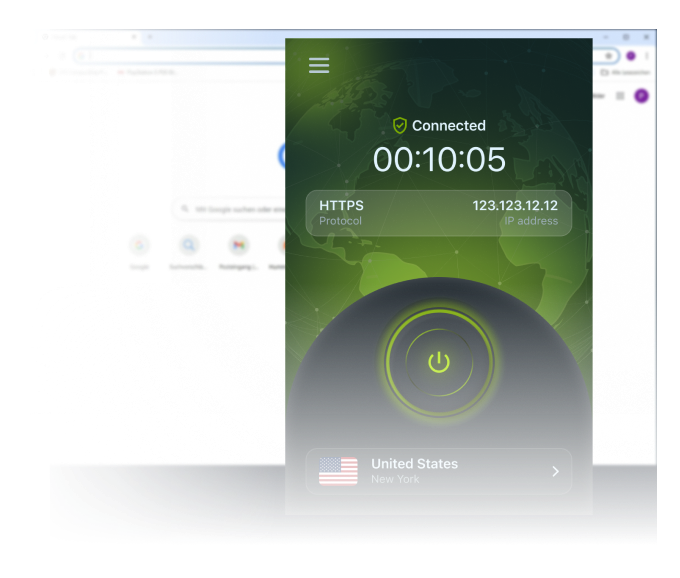
Unblock any website and stream TV shows, movies, and music in one click with the best VPN extension for Google Chrome.

Unparalleled levels of security, now right in your browser. Install in two clicks from the Chrome Web Store and enjoy 10GB of free traffic every month, with no ads.

  • 10GB Free Every Month

Why Use a VPN on Google Chrome?

See how a browser extension unblocks content and protects your browsing in two clicks.

Unblock Any Website in Two Clicks

Our VPN Chrome extension unblocks any website and gives you a smooth, uninterrupted browsing experience in a matter of two clicks in your browser.

Streaming services like Netflix and Hulu offer different libraries depending on your country. Our extension has secure servers for long streaming sessions and a vast server base for unblocking different content libraries.

No Hefty Apps, No Clutter

You don’t need to install heavy apps for your PC or laptop, cluttering your system, especially if you only need a VPN for your browser. The extension packs all the bells and whistles of a secure tunneling service.

It masks your IP and lets you pick from 120+ locations, including free access to Germany, USA, the Netherlands, the UK, and Singapore.

Download the VPN Extension for Google Chrome

ZoogVPN for Chrome: Security Built Into Your Browser

Install our free VPN for Chrome directly from the Chrome Web Store. The extension establishes a secure, encrypted proxy tunnel between your browser and a remote server, so every piece of transferred data is protected.

The free starter plan gives you 10GB of traffic every month with no ads. Create a free account to get started, no credit card required.

ZoogVPN security shield

Want Protection Beyond Your Browser?

The extension covers browser traffic only.
Install the full ZoogVPN app to protect your whole device.

Get the Full App

Why Choose the ZoogVPN Extension for Google Chrome?

Packed with advanced security features that power users love and beginners understand.

Bank-Grade Encryption

We use the AES-256 cipher standard, the same level of encryption banks rely on to keep data private.

Shadowing

Bypass heavy censorship in countries like China or UAE. Makes your VPN traffic look like regular HTTPS traffic.

DNS Leak Protection

We run our own DNS servers. Your ISP will never know which websites you are visiting.

Streaming Optimized

Dedicated 1 Gbps bare-metal servers, including streaming-optimized ones, for smooth playback.

ZoogVPN for Google Chrome: Technical Specs

A quick overview of what the Google Chrome extension does.

Browser Google Chrome (and Chromium-based browsers)
Install From Chrome Web Store
How It Works Encrypted proxy tunnel between your browser and a remote server
Free Plan 10GB monthly traffic, no ads
Free Locations 5 locations: Germany, USA, Netherlands, UK, Singapore
Scope Protects browser traffic only; other device traffic is unaffected
Privacy Strict no-logs policy with advanced DNS leak protection
Setup Two clicks: install, then select a server and connect

Ready to install? Get it from the source:

How to Use a VPN for Google Chrome

Getting started takes two clicks. Follow these steps to secure your browser in under a minute.

Step 1

Get the Free Chrome Extension

Install our free VPN for Chrome from the Chrome Web Store by pressing the button. Once installed, click its icon in the top right corner of the screen.

Step 2

Connect to a Server

Once the extension is running, click its icon, select an appropriate server for your needs from the list, and click Connect.

Step 3

Get to Browsing

That’s it. With the ZoogVPN Google Chrome extension running, jump straight into your tasks.

  • Browse blocked sites and social media.
  • Stream libraries from other regions.
  • Stay encrypted on public Wi-Fi.

Trusted by Experts. Loved by Users.

Consistent high ratings across all platforms and browsers.

Browse From 120+ Locations Worldwide

Switch your virtual location from the Google Chrome toolbar and reach content from anywhere.

Why Server Variety Matters for Google Chrome?

To reach a site or streaming library that’s only available in another country, you need a server located there. The bigger the network, the more content you unlock and the faster your connection stays.

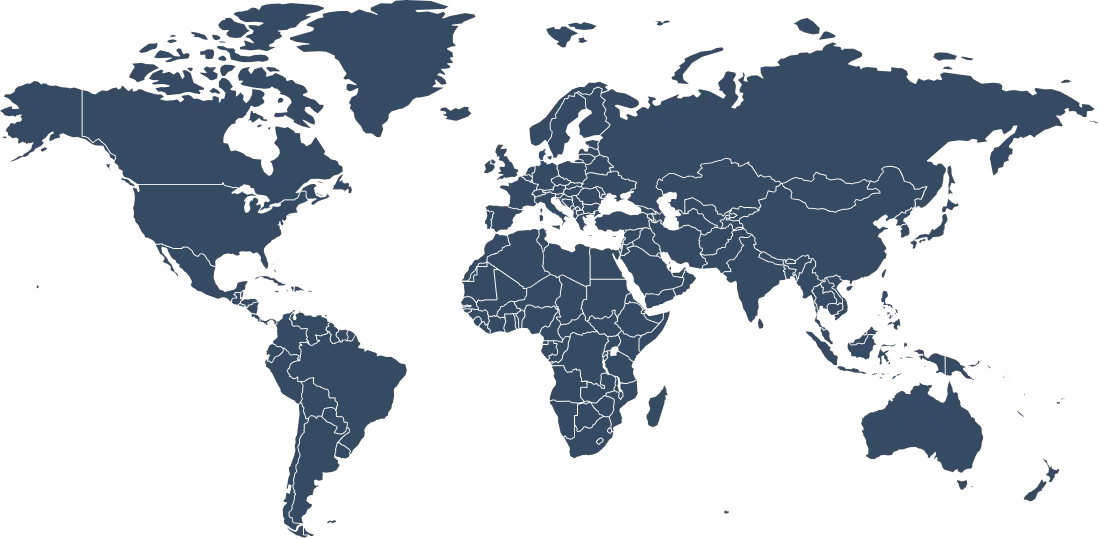
ZoogVPN gives you 120+ locations worldwide, with free access to 5 of them in Germany, the USA, the Netherlands, the UK, and Singapore. Switch between them in a click, right from your browser.

120+ Global Locations
5 Free Locations
1Gbps Server Speed
10GB Free Monthly
Buy ZoogVPN

Free access to 5 locations, no credit card required.

Choose Your Freedom Plan

Start free in your browser, upgrade for unlimited power.

Get Premium Now (Save 75%)
Feature
Free Plan
Premium Plan
Monthly Data
10 GB
Unlimited
Locations
5 Free Locations
120+ Global Locations
Ads
None
None
Streaming Servers
Limited
Full Access
Full Device Apps
No
Yes, All Platforms

Want More Than a Google Chrome Extension?

The Google Chrome extension protects your browser traffic only. For full-device protection, including apps outside your browser, install the ZoogVPN app. One subscription covers up to 10 devices at the same time.

ZoogVPN runs on Windows, macOS, iOS, Android, Android TV, Amazon Fire TV, and routers, so every device you own is covered.

Google Chrome VPN: Frequently Asked Questions

Everything you need to know about the extension.

How do I use a VPN on Google Chrome?

It’s fairly easy. Download our extension from the Chrome Web Store; once it’s installed, click the lock icon, select a server, and press Connect.

How do I disable or remove the VPN on Chrome?

Press the puzzle-piece icon in the top right corner of the screen, then go to Manage extensions, where you can either remove the extension or simply turn it off.

How much does the Chrome extension cost?

The extension is free, with a starter plan that includes 10GB of traffic per month and no ads. For unlimited data, more countries, and faster servers, you can upgrade to a premium plan on the ZoogVPN website.

What is a VPN Google Chrome extension?

It’s a browser extension that connects you to a virtual private network directly from Chrome. It encrypts your browser traffic and reroutes it through a private server, masking your IP address and location, so you get more privacy and the ability to bypass geographic restrictions.

Does Google Chrome have a built-in VPN?

No, Google Chrome does not have a built-in VPN. You can easily install a third-party VPN extension, including the one developed by ZoogVPN, directly from the Chrome Web Store.

Which locations can I use for free?

The free plan includes 5 locations: Germany, the USA, the Netherlands, the UK, and Singapore. Premium unlocks all 120+ locations.

Can Google track you with a VPN?

A VPN protects your privacy to a degree, but it’s important to remember that Google and other companies can still track you in some ways. A VPN encrypts your traffic and masks your IP from websites and services, but it doesn’t necessarily hide your activity from your ISP or from the VPN provider itself.

Does the extension keep logs?

No. ZoogVPN takes your privacy seriously and keeps no logs. The extension also includes advanced DNS leak protection.

Does the extension protect my whole device?

No. The extension protects only your Chrome browser traffic; other traffic on your device stays unaffected. For complete, device-wide privacy, we recommend installing the full ZoogVPN app on your devices.

Is a Chrome VPN Extension Worth It?

If you mainly want to unblock sites and stream from other regions without slowing down your whole system, a browser extension is the lightest way to do it. ZoogVPN’s Chrome extension installs in two clicks, runs on uncluttered code that stays fast even on older machines, and gives you 10GB of free traffic every month with no ads. It masks your IP and lets you switch between 120+ locations straight from the toolbar.

There’s one thing worth understanding: a browser extension protects only your Chrome traffic. Anything outside the browser, other apps, system updates, background services, still uses your normal connection. That’s perfect if a browser VPN is all you need, and it’s why the extension stays so lightweight. For complete, device-wide privacy, ZoogVPN also offers full apps for Windows, macOS, iOS, Android, and more, all covered by a single subscription. Many users run both: the extension for quick unblocking, the app when they want everything encrypted.


Get the Google Chrome VPN Extension Free

Unblock any website in two clicks. 10GB free every month, no ads.