


Best VPN for Android in 2026

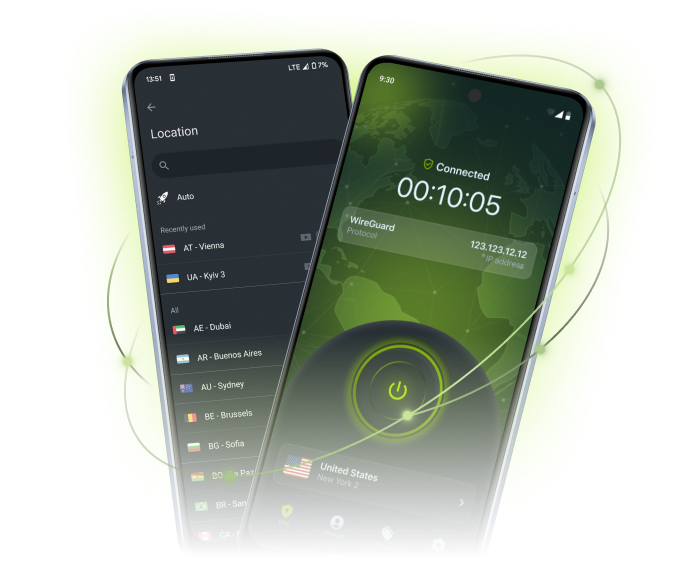
Looking for the best Android VPN? ZoogVPN’s Android app offers a secure, fast connection with easy-to-use features for total online freedom.

Protect your privacy and access blocked content with ease. ZoogVPN combines a rich feature list with affordable prices and an ever-growing server network, all in a user-friendly app for phones, tablets, and Android TV.

  • 7-day money-back guarantee

Why Use a VPN on Android?

See how a VPN for Android protects your daily browsing, from public Wi-Fi to unrestricted streaming.

Anonymous and Safe Browsing

When connected to ZoogVPN, we give you an anonymous IP address, making it impossible to link anything back to you.

Our bank-grade encryption keeps your traffic private on any network, and the Android app ships with advanced leak protection so nothing slips through, whether you’re on mobile data or public Wi-Fi.

No Censorship & Stop ISP Throttling

Access any website regardless of your location. Browse social media, unblock your favorite shows, and get the best streaming and gaming experience with the ZoogVPN Android client.

Your ISP might slow down your connection depending on what you’re doing online. ZoogVPN runs servers optimized for the best speed possible, regardless of any restrictions your provider puts in place.

Download VPN for Android

ZoogVPN for Android: Your Personal Digital Shield

Download a trusted VPN client for your Android phone, tablet, or TV, compatible with Android 10 and later. Our app auto-selects the fastest protocol and uses bank-grade 256-bit encryption to protect your traffic from ISPs, public Wi-Fi snoopers, and cyber threats.

Hide your real IP address and browse anonymously with a single tap. Start with our Free plan. No credit card required. Try the connection quality for yourself.

ZoogVPN security shield

Start Your Secure Journey Today

Join millions of users.
Unlimited traffic and 120+ locations on Premium.

Get Free VPN

Why Choose the ZoogVPN App for Android?

Packed with advanced security features that power users love and beginners understand.

Bank-Grade Encryption

We use the AES-256 cipher standard, the same level of encryption banks rely on to keep data private.

Shadow Protocol

Built for heavily censored networks in countries like China, Russia, Iran, Egypt and Qatar. Choose Shadow if other protocols don’t work for you.

Kill Switch

The Kill Switch blocks your internet traffic if the VPN connection drops, so nothing leaves your phone or tablet unprotected.

SOCKS5 Proxy

Included for free. Configure your torrent client or browser to use our proxy for faster speeds without encryption overhead.

Auto-Connect

Set ZoogVPN to launch on startup and connect instantly. Never browse unprotected by accident.

DNS Leak Protection

DNS and IP leak protection is built in, so your DNS requests stay inside the VPN tunnel.

Streaming Optimized

Dedicated 1 Gbps bare-metal servers, including streaming-optimized ones, for smooth playback.

Up to 10 Devices

One Premium account protects up to 10 devices at the same time.

ZoogVPN for Android: Technical Specs

A quick overview of our VPN client capabilities for Android.

Supported OS Android 10, 11, 12, 13, 14, 15+
Encryption AES-256, 2048-bit hash key, SHA-256 authentication
Protocols Auto-select (TCP/UDP), WireGuard, IKEv2, OpenVPN, Shadow, Rift
Leak Protection DNS and IP leak protection (built-in)
Advanced Features Split Tunneling, Shadow Protocol, Leak Protection
Convenience Auto-Connect to best server, Auto-Select protocol, Launch on Startup
Devices Phones, tablets, and Android TV
Version Latest: check the Google Play listing

Ready to install? Get it from the source:

How to Set Up VPN on Android

Our Android app is user-friendly and free to download. Follow these steps to secure your device in minutes.

Step 1

Create an Account With ZoogVPN

Complete the simple registration process. Choose our Free plan (no credit card required) or go Premium for unlimited data and 120+ locations.

Step 2

Install the Android App

Download, install, and open the app on your smartphone or tablet. Grab it from the Google Play Store, or use the direct APK if you don’t use Google Play.

Step 3

Tap “Connect” and Enjoy!

Open the app and hit Connect: ZoogVPN picks the fastest nearby server automatically.

  • Your ISP cannot monitor your activity.
  • Websites see the IP address of the VPN server, not yours.
  • Public Wi-Fi networks become safe to use.

Trusted by Experts. Loved by Users.

Here is what our customers and experts say about ZoogVPN.

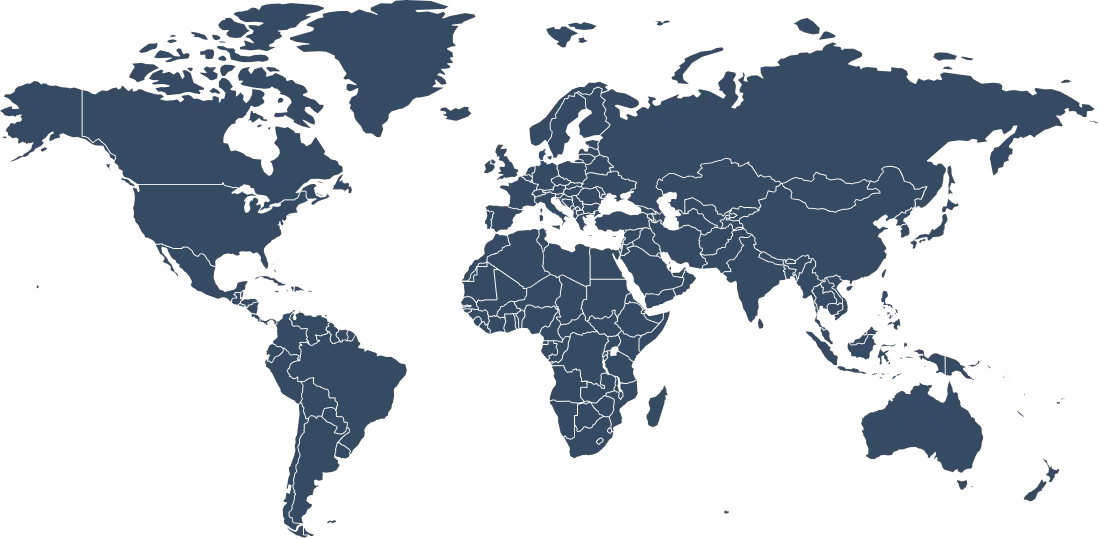
Get an IP Address From 120+ Locations Worldwide

A large server network means faster, more reliable connections on your Android device, wherever you go.

Why Server Variety Matters for Android?

Your Android phone goes everywhere with you: the office, the airport, a café abroad. To get the best performance, you need a VPN server that’s physically close to you (for lower latency) or located in a specific country (to unblock content).

With 120+ locations, ZoogVPN lets you switch your virtual location with a single tap. Not sure which server to pick? Hit Connect and the app runs a quick check to find the fastest server with the lowest ping for your location, connecting you in seconds.

120+ Global Locations
100% Bare-Metal Servers
1Gbps Optimized Speed
Auto Protocol Select
Get ZoogVPN

Auto-connect finds the fastest server for you.

Choose Your Freedom Plan

Start for free, upgrade for unlimited power.

Get Premium Now (Save 75%)
Feature
Free Plan
Premium Plan
Locations
5 Locations
120+ Locations (Global)
Monthly Data
10 GB
Unlimited
Streaming (Netflix)
No
Yes, Unblocked
Encryption
128-bit
256-bit AES
P2P / Torrenting
Limited
Dedicated Servers

Protect Your Data With a VPN for Android

You don’t have to pick and choose which device to protect. One ZoogVPN subscription covers up to 10 devices at the same time. Download our VPN on your Android phone, tablet, or TV, fully compatible with Android 10 and later.

We also offer native apps for Windows, macOS, Linux, iOS, Android TV, and Amazon Fire TV Stick. If your device doesn’t have native VPN support, you can set up ZoogVPN on your router to protect your Smart TV, game console, or other gadgets.

Android VPN: Frequently Asked Questions

Everything you need to know about privacy, speed, and features.

Is there a free VPN app for Android?

ZoogVPN is the best free VPN app for Android. You can get a free VPN by creating an account with us. The free Android app comes with 10GB of monthly bandwidth, 5 blazing-fast VPN locations, and bank-grade 256-bit encryption. Download a free VPN app for Android on this page.

Should I get a free VPN app for Android?

While there are many free VPN apps available for Android, they often come with limitations and risks. Paid VPN services like ZoogVPN provide better privacy, security, and customer support. It’s worth investing in a reliable VPN to protect your online activity.

Does Android have a built-in VPN?

Yes, Android has a built-in VPN client that can be used to connect to a VPN server. However, it may have limited features compared to third-party VPN apps like ZoogVPN, which add Split Tunneling, Shadow Protocol, leak protection, and more.

Can I set up a VPN on Android manually?

Yes, you can. Simply follow our straightforward setup tutorial and get started within minutes.

How do I turn on a VPN on Android?

To turn on a VPN on Android, simply download and install the ZoogVPN app from the Google Play Store. Once installed, launch the app and tap the “Connect” button. ZoogVPN automatically finds the best server for your location and connects you to the VPN network, ensuring your online privacy and security.

How do I use a VPN on an Android phone?

To use a VPN on your Android device, download and install the ZoogVPN Android app, create an account, and then launch the app. Tap the “Connect” button to establish a VPN connection. Once connected, you can browse the web, use apps, and access online content with complete privacy and security.

Do I need a VPN app on my Android?

Using a VPN app on your Android device is highly recommended if you want to ensure your online privacy and security. A VPN encrypts your internet traffic and masks your IP address, making it difficult for anyone to track your online activities. It also helps you bypass geo-restrictions and access content that may not be available in your region.

What does a VPN app for Android do?

A VPN app for Android encrypts your internet connection and routes it through a remote server, hiding your online activity from prying eyes. It also lets you bypass geo-restrictions and access blocked content, while ensuring your online privacy and security.

Is a VPN Necessary for Android?

Android is a capable, flexible operating system, but no device is immune to network-level snooping. Public Wi-Fi at cafes, airports, and hotels is a common target for attackers, and your carrier or ISP can see which sites you visit even over a secure connection. A VPN like ZoogVPN routes your traffic through an encrypted tunnel, so your activity stays private whether you’re on mobile data or public Wi-Fi.

This matters most when you’re away from trusted networks: cafe and airport Wi-Fi rarely encrypts traffic between your device and the router, which means anyone else on that network could potentially intercept unencrypted data. ZoogVPN’s auto-reconnect feature automatically restores your most recent location if the connection ever drops, so your Android device stays protected without you having to think about it.

Ready for a Safer Internet?

Join millions of users securing their Android devices today.