


Best VPN for Amazon Fire TV Stick in 2026

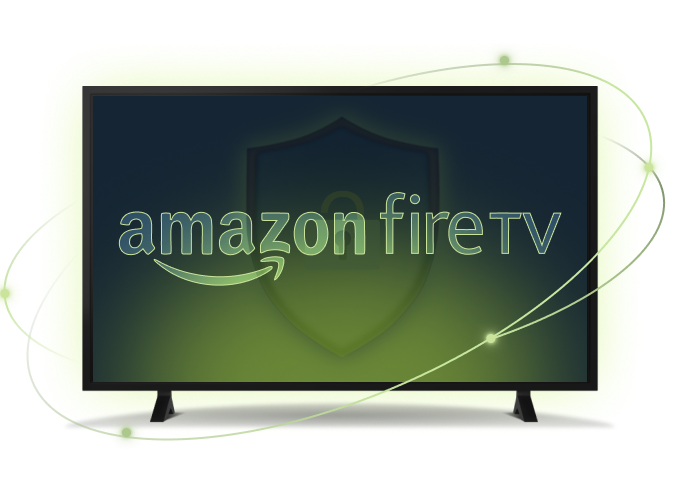
Turn your Amazon Fire devices into gateways to global content. ZoogVPN brings security, privacy, and the freedom to stream your favorites without limits.

Unblock top streaming services, access global apps, and stay protected on public Wi-Fi, all from one user-friendly app for the entire Fire TV family.

  • 7-Day Money-Back Guarantee

Why Use a VPN on Fire TV?

See how a VPN for Amazon Fire turns your device into a secure, borderless streaming hub.

Unlock Global Content

With our VPN for Amazon Fire Stick, you can circumvent geo-restrictions to reach streaming platforms like Netflix, Hulu, and BBC iPlayer from anywhere in the world.

ZoogVPN provides a wide range of servers fine-tuned for streaming, so you get a buffer-free experience on the entire Fire TV family, whether you’re on a Fire TV Stick, a 4K Max, or a Fire TV Cube.
Optimized for High-Speed Streaming

Get seamless VPN for Fire TV using our high-speed servers, designed for HD and 4K. With connection speeds up to 1Gbps, you enjoy uninterrupted video without buffering, even on busy networks.

Our app’s lightweight design keeps performance smooth on all Fire TV models, and full AES-256 encryption protects you on public Wi-Fi from hackers, snoopers, and prying eyes.

Download VPN for Amazon Fire TV Stick

ZoogVPN for Fire TV: Your Borderless Streaming Hub

Download the Fire TV app straight from the Amazon App Store, or from ZoogVPN’s website. It works across the whole Fire family, including Fire TV Stick, Fire TV Stick Lite, Fire TV Stick 4K, Fire TV Stick 4K Max, Fire TV Cube, and Fire tablets, all protected with 256-bit AES encryption.

Setting up is intuitive even for non-tech users. Start with a free plan. No credit card required, to try the streaming quality for yourself.

ZoogVPN security shield

Start Your Secure Journey Today

Join millions of users.
Unlimited traffic and 120+ locations on Premium.

Get Free VPN

Why Choose the ZoogVPN app for Amazon Fire TV Stick?

Packed with advanced security features that power users love and beginners understand.

Bank-Grade Encryption

We use the AES-256 cipher standard, the same level of encryption banks rely on to keep data private.

Shadowing

Bypass heavy censorship in countries like China or UAE. Makes your VPN traffic look like regular HTTPS traffic.

Kill Switch

Advanced system-level Kill Switch ensures not a single packet of data leaves your PC if the connection drops.

SOCKS5 Proxy

Included for free. Configure your torrent client or browser to use our proxy for faster speeds without encryption overhead.

Auto-Connect

Set ZoogVPN to launch when your Fire TV starts and connect instantly. Never browse unprotected by accident.

DNS Leak Protection

We run our own DNS servers. Your ISP will never know which websites you are visiting.

Streaming Optimized

Dedicated 1 Gbps bare-metal servers, including streaming-optimized ones, for smooth playback.

Up to 10 Devices

One Premium account protects up to 10 devices at the same time.

ZoogVPN for Fire TV: Technical Specs

A quick overview of Fire TV compatibility and app capabilities.

Compatible Devices Fire TV Stick, Stick Lite, Stick 4K, Stick 4K Max, Fire TV Cube
Also Works On Kindle Fire and Fire tablets (Fire HD 8, Fire HD 10)
Encryption 256-bit AES encryption
Streaming Speed Up to 1Gbps, optimized for HD and 4K
Advanced Features Split Tunneling, Auto-Connect, SOCKS5 proxy technology
Languages 15+ languages including Arabic, Chinese, French, German, Spanish
Free Plan 10GB monthly data, 5 locations
Jurisdiction Greece, outside the 14 Eyes, strict no-logs policy

Ready to stream? Get it from the source:

How to Set Up ZoogVPN on Your Fire TV Device

Setting up ZoogVPN on your Fire TV device is intuitive even for non-tech users. Let us walk you through it.

Step 1

Create an Account With ZoogVPN

Sign up to get started. Choose our Free plan (no credit card required) or go Premium for unlimited data and global servers.

Step 2

Download and Install the Fire TV App

Find and download the app on the Amazon App Store, or directly from ZoogVPN’s website. It installs in seconds on any Fire TV device.

Step 3

Open ZoogVPN and Connect

Launch the app, select your preferred server, and hit Connect to start streaming securely.

  • Unblock geo-restricted content worldwide.
  • Stream in HD and 4K without buffering.
  • Your ISP can’t see or throttle your streaming.

Trusted by Experts. Loved by Users.

Consistent high ratings across all platforms and devices.

Stream From 120+ Locations Worldwide

Point your Fire TV at any ZoogVPN location and unlock the streaming catalog of that country.

Why Server Variety Matters for Fire TV?

To watch a show that’s only available in another country, you need a server located there. To stream in 4K without buffering, you need one that’s fast. ZoogVPN’s streaming-tuned network gives you both.

With 120+ locations and speeds up to 1Gbps, you switch your virtual location from the remote and keep playback smooth. Auto-connect finds the fastest server for you the moment the app launches.

120+ Global Locations
1Gbps Streaming Speed
4K HD Streaming
15+ App Languages
Get ZoogVPN

Auto-connect finds the fastest server for you.

Choose Your Freedom Plan

Start for free, upgrade for unlimited streaming.

Get Premium Now (Save 75%)
Feature
Free Plan
Premium Plan
Locations
5 Locations
120+ Locations (Global)
Monthly Data
10 GB
Unlimited
Streaming (Netflix, Hulu)
Limited
Yes, Unblocked
Streaming Speed
Standard
Up to 1Gbps (HD/4K)
Support
Standard
Dedicated Support

Compatibility Across All Amazon Fire TV Devices

ZoogVPN adapts seamlessly to every Fire model, from Fire TV Stick Lite to Fire TV Stick 4K Max and Fire TV Cube, delivering high-speed streaming with no impact on performance. It also turns your Kindle Fire or Fire tablet (Fire HD 8, Fire HD 10) into a global streaming hub.

One subscription covers up to 10 devices at once. ZoogVPN also runs on Windows, macOS, iOS, Android, Android TV, and routers, so every screen in your home is covered.

Fire TV VPN: Frequently Asked Questions

Everything you need to know about setup, streaming, and plans.

Will ZoogVPN work on my FireStick?

Yes! ZoogVPN works with all Amazon Fire TV devices, including Fire TV Stick, Fire TV Stick Lite, Fire TV Stick 4K, Fire TV Stick 4K Max, and Fire TV Cube. It’s also compatible with Kindle Fire and Amazon Fire tablets, such as Fire HD 8 and Fire HD 10.

How do I install ZoogVPN on my Fire TV device?

First, create an account with ZoogVPN. Then download the ZoogVPN app from the Amazon App Store or ZoogVPN’s website. Finally, open the app, select a server, and connect.

Does ZoogVPN affect the performance of my Fire TV device?

No. ZoogVPN’s app is designed to be lightweight, ensuring smooth performance on all Fire TV models. It provides high-speed streaming without negatively impacting your device’s performance.

Can I use ZoogVPN on other devices besides Fire TV?

Yes. ZoogVPN is compatible with a range of devices, including Windows, Android, iOS, Mac, Ubuntu, Android TV, and routers, making it a versatile solution for all your VPN needs.

What can I unlock with ZoogVPN on Fire TV?

With ZoogVPN, you can bypass geo-restrictions to access popular streaming services like Netflix, Hulu, BBC iPlayer, and more from anywhere in the world, giving you a much wider selection of content on your Fire TV device.

Is ZoogVPN suitable for high-speed streaming on Fire TV?

Yes. ZoogVPN is optimized for high-speed streaming, supporting HD and 4K quality on all Fire TV models. The app uses servers with up to 1Gbps speeds to deliver smooth, buffer-free streaming even on busy networks.

Can I control which apps use ZoogVPN on Fire TV?

Yes. Our Firestick VPN offers a Split Tunneling feature that lets you control which apps connect through the VPN. Route specific streaming apps through ZoogVPN while keeping other apps on your regular internet connection.

What exclusive features does ZoogVPN offer for Fire TV users?

The Fire TV app includes split tunneling, automatic server selection to connect you to the fastest server, multi-language support in 15+ languages, and a zero-log policy. It also delivers advanced protocols designed for faster, more stable streaming connections.

How does ZoogVPN protect my data on Fire TV?

ZoogVPN uses 256-bit AES encryption to protect your data and secure your online activity, so ISPs, government agencies, and hackers can’t see your streaming or browsing. This is especially useful on public Wi-Fi networks.

Does ZoogVPN log my activity on Fire TV?

No. Our Firestick VPN follows a strict no-logs policy, meaning it does not track, store, or share your data. Your streaming and browsing activities are kept completely private.

Does ZoogVPN offer a free plan for Fire TV users?

Yes. You’re welcome to use our free VPN for Firestick and Fire TV via our special plan: 10GB of data per month and access to 5 locations. For unlimited data and global servers, you can upgrade to a premium plan.

Does ZoogVPN offer a money-back guarantee?

Yes. ZoogVPN offers a 7-day money-back guarantee on premium plans, so you can try the VPN on your Firestick with no risk.

Is a VPN Worth it on Fire TV?

The Fire TV’s whole appeal is streaming, and a VPN unlocks far more of it. Without one, your catalog is limited to what’s licensed in your region, and your ISP can throttle video traffic. ZoogVPN routes your Fire TV through an encrypted tunnel in the country of your choice, so you watch more and buffer less, in HD and 4K.

Fire TV runs on a fork of Android, so ZoogVPN installs as a native app straight from the Amazon App Store, no sideloading or router config required. Once it’s on, split tunneling lets you route only your streaming apps through the VPN while everything else uses your normal connection, and auto-connect picks the fastest server the moment you power on. Because one subscription covers up to 10 devices, the same account protects your phone, laptop, and every Fire TV in the house.

Ready to Unlock Your Fire TV?

Download ZoogVPN for seamless, unlimited streaming and powerful security. No credit card required.