Easily browse any website and enjoy streaming TV shows, movies, and music without disturbance with the best VPN extension for Microsoft Edge.
Enjoy premium security built right into your browser. Install in two clicks from the Edge Add-ons store and get 10GB of free traffic every month, with no ads.
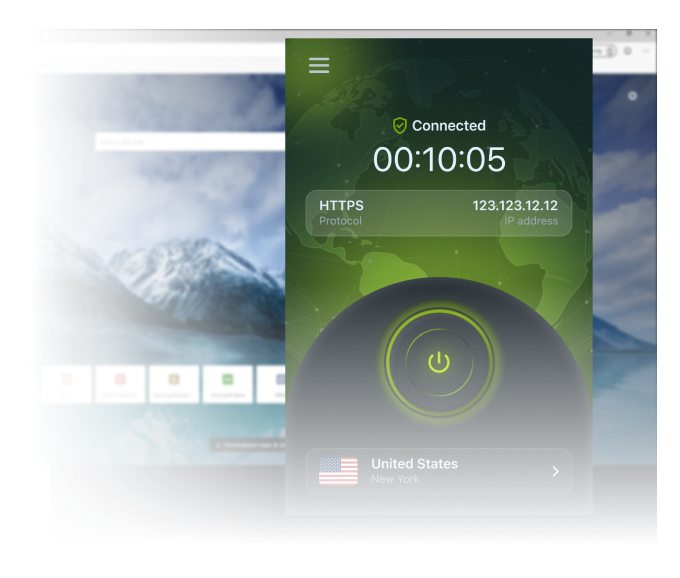
See how a browser extension unblocks content and protects your browsing in two clicks.
Unlock the Global Web
Don’t let regional limitations confine you. With our Edge extension, you can reach websites and content restricted in your current location, including services like Maps, Flickr, and Dropbox that are blocked in some countries.
Streaming platforms like Netflix and Hulu offer different libraries by region. Our wide server network lets you bypass geo-blocking and reach the content you want.
Browse Incognito, Work With Confidence
Public Wi-Fi networks are notorious for weak security, leaving your personal data vulnerable. The extension encrypts all your data traffic and routes it through a secure server, creating a virtual tunnel that keeps your information safe.
Whether you’re checking your bank account, shopping online, or working remotely from a cafe, you can navigate the web knowing your information is protected.
ZoogVPN for Edge: Security Built Into Your Browser
Install our free VPN for Microsoft Edge directly from the Add-ons store. Unlike VPN apps that burden your PC, the extension provides all the features of a secure tunneling service scoped to your browser.
Powered by clean code, it delivers maximum performance even on older computers, with 10GB of free traffic every month and no ads.
Getting started takes two clicks. Follow these steps to secure your browser in under a minute.
Step 1
Get the Free Edge Extension
Install our free VPN for Microsoft Edge from the Add-ons store by pressing the button. Once installed, click its icon in the upper right corner of the screen.
Consistent high ratings across all platforms and browsers.
ZoogVPN is a promising VPN with fast speeds, a strict no-logs policy, and a good free version.
ZoogVPN was a true discovery for us, with an offering that matches even some of the industry’s biggest names while being available at the lowest prices on the market or even for free.
Reliable servers, zero logging, and a fine balance between privacy and leisure. ZoogVPN offers all that, and more.
ZoogVPN prides itself on providing privacy solutions to combat censorship and internet barriers around the world, helping customers protect their data with bank-grade encryption and a no-logs policy.
client
⭐⭐⭐⭐⭐
I'm honestly more than happy using this perfect VPN. It's working better than many I've tried, even though in the country I'm living most VPN providers are blocked and unable to bypass restrictions, but ZoogVPN does bypass them with perfect speed. The sales team is pretty kind and the support team does their best to assist with whatever issues you may face. It's fast, stable and a company you can trust for your security. Highly recommend.
Tamil B
⭐⭐⭐⭐⭐
Good VPN service provider. So far the support is good and flexible. Works good with many servers and at a cheap price. It is just cheap and best. Support is also very nice, and their team is very flexible and comfortable to interact with. Hence I am pretty much happy as a subscriber.
Khaja Moinuddin
⭐⭐⭐⭐⭐
I've been using ZoogVPN since 2018. It's a very good VPN with many servers to choose from, and I have not faced any problems to date. Online customer care is always available for suggestions and troubleshooting. It's one of the few VPNs working in the UAE. I strongly recommend it.
Yaser Shekarriz
⭐⭐⭐⭐⭐
If browser extensions were provided for the VPN service, it would definitely be more useful. The response of the support team is also good. Thank you for the valuable services you provide.
Dutton Howard
⭐⭐⭐⭐⭐
I'd like to revise my negative review from a few weeks back to a positive one. ZoogVPN has been in constant touch with me about their efforts to provide the service I signed up for. Everything is back in working order, and they're doing a great job maintaining their service to a very high standard. Thank you, and keep up the good work. It was not an easy fix, but well worth the effort.
Eugene V
⭐⭐⭐⭐⭐
Best VPN provider with fantastic support! Thank you ZoogVPN!
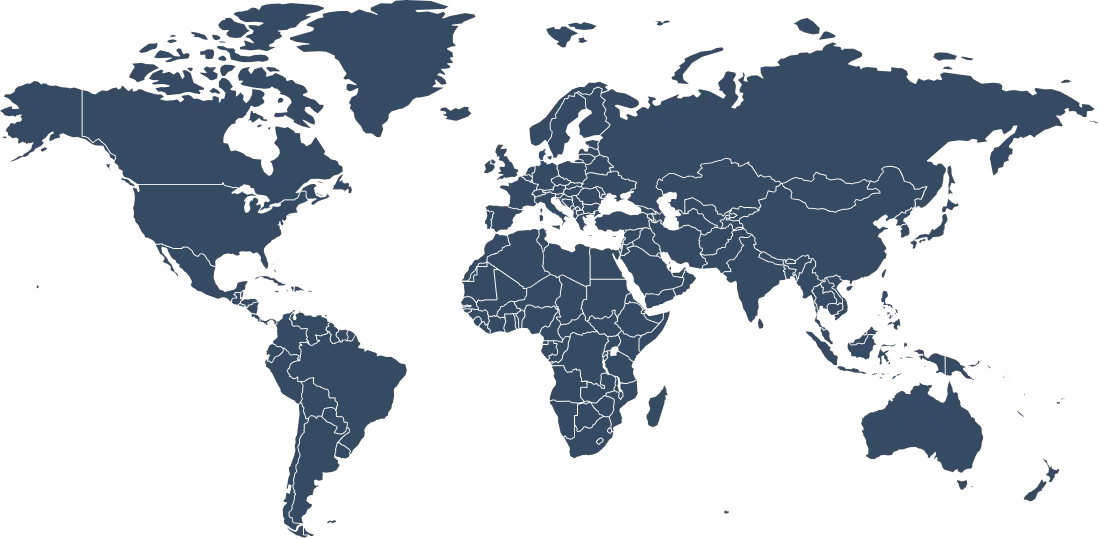
Browse From 120+ Locations Worldwide
Switch your virtual location from the Microsoft Edge toolbar and reach content from anywhere.
Why Server Variety Matters for Microsoft Edge?
To reach a site or streaming library that’s only available in another country, you need a server located there. The bigger the network, the more content you unlock and the faster your connection stays.
ZoogVPN gives you 120+ locations worldwide, with free access to 5 of them in Germany, the USA, the Netherlands, the UK, and Singapore. Switch between them in a click, right from your browser.
Free access to 5 locations, no credit card required.
Choose Your Freedom Plan
Start free in your browser, upgrade for unlimited power.
Get Premium Now (Save 75%)
Feature
Free Plan
Premium Plan
Monthly Data
10 GB
Unlimited
Locations
5 Free Locations
120+ Global Locations
Ads
None
None
Streaming Servers
Limited
Full Access
Full Device Apps
No
Yes, All Platforms
Want More Than a Microsoft Edge Extension?
The Microsoft Edge extension protects your browser traffic only. For full-device protection, including apps outside your browser, install the ZoogVPN app. One subscription covers up to 10 devices at the same time.
ZoogVPN runs on Windows, macOS, iOS, Android, Android TV, Amazon Fire TV, and routers, so every device you own is covered.
It’s fairly easy. Download our extension from the Edge Add-ons store; once it’s installed, click the lock icon, select a server, and press Connect.
How do I disable or remove the VPN on Edge?
Press the puzzle-piece icon in the top right corner of the screen, then go to Manage extensions, where you can either remove the extension or simply turn it off.
How much does the Edge extension cost?
The extension is free, with a plan that includes 10GB of traffic per month and no ads. For unlimited data, more countries, and faster servers, you can upgrade to a premium plan on the ZoogVPN website.
What is a Microsoft Edge VPN extension?
It’s a browser extension that connects you to a virtual private network directly from Edge. It encrypts your browser traffic and reroutes it through a private server, masking your IP address and location for more privacy and access to blocked content.
Does Microsoft Edge have a built-in VPN?
No, Microsoft Edge does not have a built-in VPN. You can easily install a third-party VPN extension, including the one developed by ZoogVPN, directly from the Add-ons store.
What can I do with the Edge extension?
You can unlock the global web and reach region-restricted sites, browse incognito on public Wi-Fi with encrypted traffic, and work remotely with confidence knowing your data is routed through a secure server.
Can Edge track you with a VPN?
A VPN protects your privacy to a degree, but Edge and other corporations can still track your activity in some ways. A VPN encrypts your traffic and hides your IP from websites and services, but it can’t hide your activity from your ISP or the VPN provider itself.
Does the extension keep logs?
No. ZoogVPN takes your privacy extremely seriously and keeps no logs. The extension also includes advanced DNS leak protection.
Does the extension protect my whole device?
No. The extension protects only your Edge browser traffic. For complete, device-wide privacy, we recommend installing the full ZoogVPN app on all your devices.
Is an Edge VPN Extension Worth It?
If you want to unlock the global web and browse privately without burdening your PC, a browser extension is the lightest way to do it. ZoogVPN’s Edge extension installs in two clicks, runs on clean code that performs well even on older computers, and gives you 10GB of free traffic every month with no ads. It encrypts your browser traffic and routes it through a secure server, creating a virtual tunnel that keeps your data safe on public Wi-Fi.
There’s one thing worth understanding: a browser extension protects only your Edge traffic. Anything outside the browser, other apps, system services, background connections, still uses your normal network. That’s ideal if a browser VPN is all you need, and it’s why the extension stays so lightweight. For complete, device-wide privacy, ZoogVPN also offers full apps for Windows, macOS, iOS, Android, and more, all covered by a single subscription. Many users run both: the extension for quick unblocking, the app when they want everything encrypted.
Get the Microsoft Edge VPN Extension Free
Unblock any website in two clicks. 10GB free every month, no ads.