


Best VPN for Mac in 2026

Surf the web anonymously on your Mac, with every advanced feature included and the fastest WireGuard, IKEv2, OpenVPN, Shadow and Rift protocols under the hood.

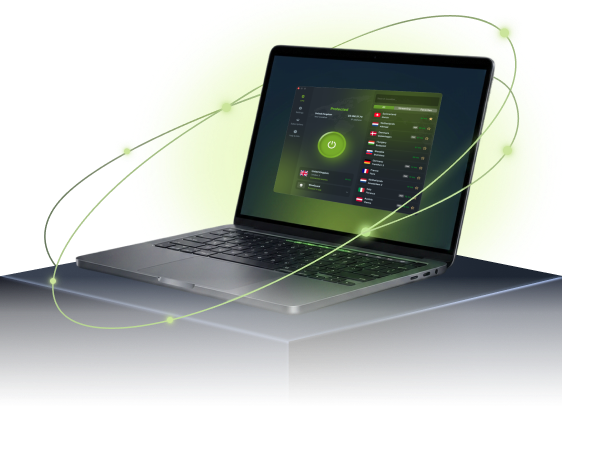
Protect your privacy and access blocked content with ease. ZoogVPN combines a rich feature list with affordable prices and an ever-growing server network, all in a user-friendly app for every Apple computer.

  • 7-day money-back guarantee

Why Use a VPN on Mac?

See how a VPN for macOS protects your daily browsing, from public Wi-Fi to unrestricted streaming.

Safe and Anonymous Browsing

When connected to ZoogVPN, we give you an anonymous IP address, making it impossible to link anything back to you.

Our bank-grade encryption keeps your traffic private on any network, and the macOS app ships with advanced leak protection and a built-in Kill Switch, so nothing slips through if your connection drops.


No Censorship or Geo Restrictions

Unlock a world of digital freedom with ZoogVPN’s macOS client. Enjoy unrestricted access to websites from any location, stay connected on social media, and get the ultimate streaming and gaming experience.

Surf the web without having your ISP’s speed drag you down. ZoogVPN runs servers optimized for the best speed possible, regardless of any restrictions your provider puts in place.

Download VPN for Mac

ZoogVPN for Mac: Your Personal Digital Shield

Download a trusted VPN client for your Mac, compatible with macOS 12 and later. Our app runs on the fastest WireGuard, IKEv2, OpenVPN, Shadow and Rift protocols and uses bank-grade 256-bit encryption to protect your traffic from ISPs, public Wi-Fi snoopers, and cyber threats.

Hide your real IP address and browse anonymously with a single click. Start with our Free plan. No credit card required. Try the connection quality for yourself.

ZoogVPN security shield

Start Your Secure Journey Today

Join millions of users.
Unlimited traffic and 120+ locations on Premium.

Get Free VPN

Why Choose the ZoogVPN App for Mac?

Packed with advanced security features that power users love and beginners understand.

Bank-Grade Encryption

We use the AES-256 cipher standard, the same level of encryption banks rely on to keep data private.

Shadow Protocol

Built for heavily censored networks in countries like China, Russia, Iran, Egypt and Qatar. Choose Shadow if other protocols don’t work for you.

Kill Switch

The Kill Switch blocks your internet traffic if the VPN connection drops, so nothing leaves your Mac unprotected.

SOCKS5 Proxy

Included for free. Configure your torrent client or browser to use our proxy for faster speeds without encryption overhead.

Auto-Connect

Set ZoogVPN to launch on startup and connect instantly. Never browse unprotected by accident.

DNS Leak Protection

DNS and IP leak protection is built in, so your DNS requests stay inside the VPN tunnel.

Streaming Optimized

Dedicated 1 Gbps bare-metal servers, including streaming-optimized ones, for smooth playback.

Up to 10 Devices

One Premium account protects up to 10 devices at the same time.

ZoogVPN for Mac: Technical Specs

A quick overview of our VPN client capabilities for macOS.

Supported OS macOS 12 (Monterey) and later
Encryption AES-256, 2048-bit hash key, SHA-256 authentication
Protocols WireGuard, IKEv2, OpenVPN (TCP/UDP), Shadow, Rift
Leak Protection DNS and IP leak protection (built-in)
Advanced Features Kill Switch, Auto-Connect, Auto Reconnect
Convenience Launch on Startup
Compatible Macs MacBook Air, MacBook Pro, iMac, Mac mini, Mac Studio, Mac Pro: Apple Silicon and Intel
Version Latest: check App Store listing

Ready to install? Get it from the source:

Easy to Get Started

Setting up a VPN for Mac is quick and easy. Follow these steps to secure your device in minutes.

Step 1

Create an Account With ZoogVPN

Complete the simple registration process. Choose our Free plan (no credit card required) or go Premium for unlimited data and 120+ locations.

Step 2

Install the macOS App

Download the installer, then install and open the app on your Mac. You can use the App Store or the direct installation package, whichever you prefer.

Step 3

Click “Connect” and Enjoy!

Open the app and hit Connect – ZoogVPN picks the fastest nearby server automatically.

  • Your ISP cannot monitor your activity.
  • Websites see the IP address of the VPN server, not yours.
  • Public Wi-Fi networks become safe to use.

Top-Rated Apple Mac VPN Service

Consistent high ratings across all platforms and devices.

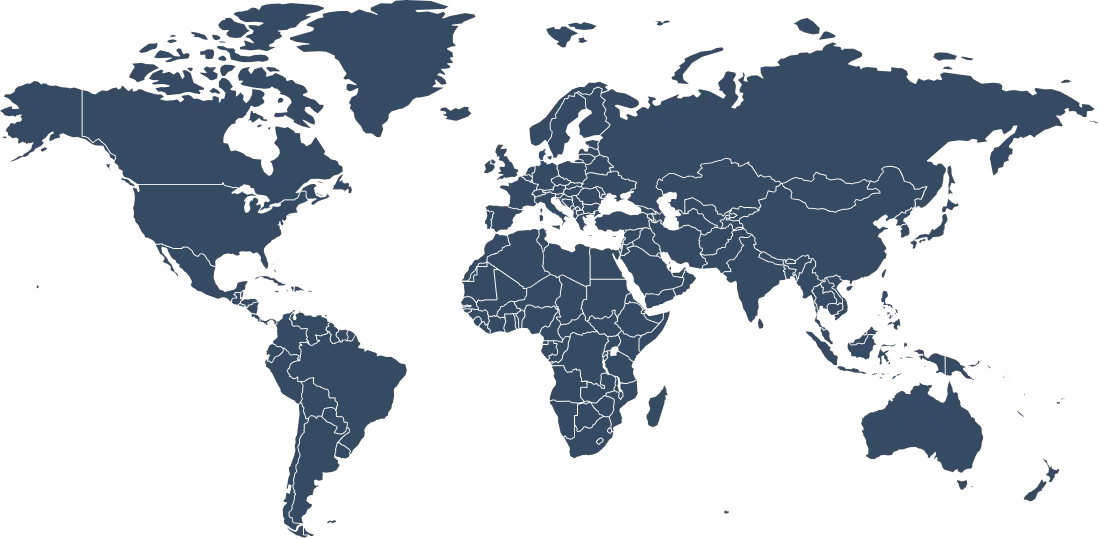
Get an IP Address From 120+ Locations Worldwide

A large server network means faster, more reliable connections on your Mac, wherever you’re working from.

Why Server Variety Matters for Mac?

Whether you’re working from home, a co-working space, or a café abroad, you need a VPN server that’s physically close to you for the lowest latency, or located in a specific country to unblock content.

With 120+ locations, ZoogVPN lets you switch your virtual location with a single click. Our network stays fast and reliable, so you’re never stuck waiting on a call, a stream, or a download.

120+ Global Locations
100% Bare-Metal Servers
1Gbps Optimized Speed
WireGuard + IKEv2, OpenVPN, Shadow and Rift Support
Get ZoogVPN

Auto-connect finds the fastest server for you.

Choose Your Freedom Plan

Start for free, upgrade for unlimited power.

Get Premium Now (Save 75%)
Feature
Free Plan
Premium Plan
Locations
5 Locations
120+ Locations (Global)
Monthly Data
10 GB
Unlimited
Streaming (Netflix)
No
Yes, Unblocked
Encryption
128-bit
256-bit AES
P2P / Torrenting
Limited
Dedicated Servers

Protect Your Data With a VPN for Mac

You don’t have to pick and choose which device to protect. One ZoogVPN subscription covers up to 10 devices at the same time. Download our VPN on your Mac, fully compatible with macOS 12 and later.

We also offer native apps for Windows, Linux, iOS, Android, Android TV, and Amazon Fire TV Stick. If your device doesn’t have native VPN support, you can set up ZoogVPN on your router to protect your Smart TV, game console, or other gadgets.

Frequently Asked Questions About VPN for Mac

Everything you need to know about privacy, speed, and features.

Do I need a VPN app for my Mac?

With the internet becoming increasingly restricted, a VPN is essential to preserving your privacy and accessing content that isn’t available in all countries. Get an app for macOS so you can stay secure while browsing without any geo-restrictions.

Is there a free VPN for Mac?

Yes. ZoogVPN offers a free VPN app for Mac with 10GB of bandwidth each month and access to 5 secure locations, all without keeping any logs. No credit card required to get started.

Is it safe to have a VPN on my Mac?

It depends on the provider. Choose a VPN with a dedicated macOS app that doesn’t store personal information or keep traffic logs. ZoogVPN’s Mac app follows a strict no-logs policy and uses bank-grade encryption, so your safety is covered.

What is the best VPN for MacBook?

The best VPN for MacBook is one that balances security, speed, and price. ZoogVPN offers strong encryption, the fastest WireGuard, IKEv2, OpenVPN, Shadow and Rift protocols, a generous free plan, and affordable premium pricing, wherever in the world you happen to be.

How do I download a VPN on my Apple MacBook?

Downloading ZoogVPN for Mac takes just a few clicks: install the app from the App Store or the direct installation package on this page, then your device is protected with powerful encryption that shields you against online spying.

How do I use a VPN on a Mac?

Download the app, install it, create an account, and open it. Select a server and click Connect. You’ll be secure online in a matter of seconds, at no extra cost on the Free plan.

What does the ZoogVPN app for Mac do?

ZoogVPN’s Mac app keeps you securely connected while you’re online, with advanced leak protection, an easy-to-use interface, and a wide choice of VPN server locations to help you get past restrictive firewalls.

Does the ZoogVPN app for Mac follow a No-Log policy?

Yes. ZoogVPN is a no-log app that guarantees anonymity and rejects all attempts to link personal information back to customers. We take your safety and security seriously.

Which macOS versions does ZoogVPN support?

ZoogVPN supports macOS 12 (Monterey) and every version since, including the newest releases on Apple Silicon Macs.

Which Apple Mac models does ZoogVPN support?

The ZoogVPN app runs on all modern Mac models, including MacBook Air, MacBook Pro, iMac, Mac mini, Mac Studio, and Mac Pro, on both Apple Silicon and Intel processors.

Is a VPN Necessary for Mac?

macOS is a well-built operating system, but no device is immune to network-level snooping. Public Wi-Fi at cafes, airports, and co-working spaces is a common target for attackers, and your ISP can see which sites you visit even over a secure connection. A VPN like ZoogVPN routes your traffic through an encrypted tunnel, so your activity stays private no matter which network your Mac connects to.

This matters most when you’re away from trusted networks: cafe and coworking Wi-Fi rarely encrypts traffic between your device and the router, which means anyone else on that network could potentially intercept unencrypted data. ZoogVPN’s built-in Kill Switch pauses your internet access if the VPN connection ever drops, so you’re never left exposed while the app reconnects.

Ready for a Safer Internet?

Join millions of users securing their Macs today.