


🇷🇺 Russian IP Address

Get the Best Russia VPN With a Russian IP address

Looking for the best Russia VPN service? ZoogVPN provides high-speed Russian servers to bypass geo-blocks and encrypt your traffic. Enjoy total online freedom with a secure Russia IP address from anywhere.

  • Get a secure Russian IP address instantly
  • Bypass geo-blocks & unblock Kinopoisk
  • Top-tier security & Bank-grade encryption
  • Best Russia VPN for expats & travelers

What is a Russia IP Address?

A Russia IP address is a unique numerical label assigned to a device connected to the internet via an ISP (Internet Service Provider) located physically in Russia. It acts like a digital return address, identifying your virtual location as being in Moscow.

By obtaining a Russia IP, you can digitally “relocate” your device to Russia. This allows you to bypass geographic restrictions enforced by Russian broadcasters (like Kinopoisk, Okko, and IVI), securely access Russia online banking (like Sberbank or T-Bank), and shop on Russia-exclusive websites.
  • 2 Russia
    Locations
  • Unblock
    Kinopoisk & Okko
  • Low Latency
    to Moscow
  • Free Plan
    Available

3 Ways to Get a Russia IP Address

There are several methods to change your virtual location to Russia. While a VPN is the most reliable solution, it helps to understand the alternatives.

1. Using a VPN

A Virtual Private Network (VPN) creates an encrypted tunnel between your device and a server in Russia. It changes your IP and protects your privacy from ISP tracking.

  • Unblocks Kinopoisk & Okko
  • Bank-Grade Encryption
  • Fast Connection Speeds

2. Proxy Server

A proxy acts as a middleman. It changes your IP address but does not encrypt your traffic, leaving your personal data exposed to hackers.

  • No Encryption
  • Often blocked by streaming sites
  • No software installation

3. Tor Browser

Tor routes traffic through volunteer nodes. While it offers high anonymity, it is extremely slow and not suitable for streaming video.

  • Very Slow Speed
  • Complex Setup
  • High Anonymity

Quick Comparison: VPN vs. Proxy vs. Tor

Feature ZoogVPN Proxy Tor Browser
Russia IP Address Yes Random
Encryption None Moderate
Speed Slow / Unstable Very Slow
Streaming (Kinopoisk, Okko) Detected/Blocked Too Slow
Ease of Use Manual Setup Complex

How to Get a Russian IP Address

Obtaining a Russia IP address doesn’t require technical skills. We have simplified the process so you can appear to be browsing from Russia in less than 2 minutes.

Step 1

Sign up for ZoogVPN

Create your account in seconds. Start with our forever-free plan or choose premium for unlimited streaming.

Step 2

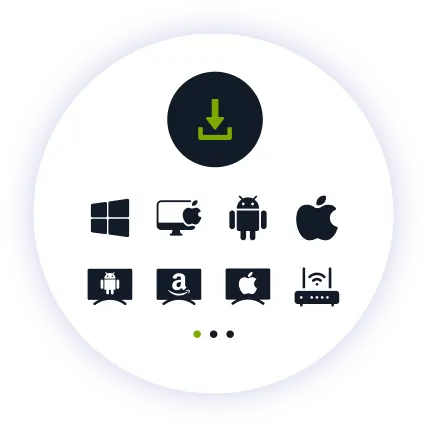
Download the App

Install our user-friendly app. Native apps for Windows, macOS, iOS, Android, and Fire TV.

Step 3

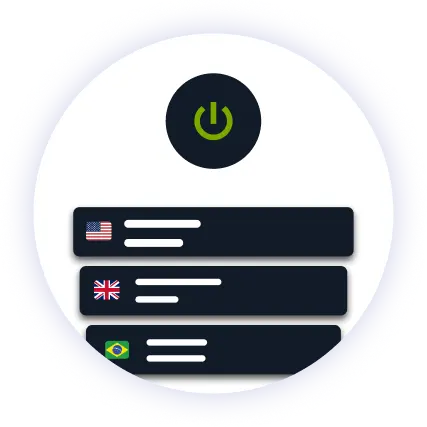
Connect to Russia

Find “Russia” in the server list and hit connect. You now have a secure Russian IP address.

Why Do You Need a VPN for Russia?

Russian broadcasters lock their catch-up services to Russia viewers, and the country has some of the most extensive surveillance legislation in Europe. A VPN is no longer a luxury. It is a necessity for accessing content and protecting your digital identity.

Bypass Geo Restrictions & Watch Russian TV

ZoogVPN bypasses geo-blocks on Kinopoisk, Okko, IVI, Premier and Wink.

Kinopoisk · Okko · IVI · Wink

ZoogVPN bypasses these geo-blocks, allowing you to watch your favorite Russian shows, live football and news from anywhere in the world without “Not Available in Your Region” errors.

Protect Privacy

Keep your browsing to yourself. We encrypt your traffic so neither your ISP nor anyone on the network can see what you do online.

Secure Public Wi-Fi

Cafes, trains and airports are playgrounds for hackers. Our tunnel protects your card details and passwords.

Bypass Throttling

Stop ISPs from slowing down your video streams. Mask your activity to get full speed.

Access Russia Services

Banking apps, Ozon, Wildberries and government portals often expect a Russian IP. Connect to Russia to log in as if you were home.

Access 2 Russia Server Locations

Speed and reliability depend on how close the server is to your virtual destination. ZoogVPN offers bare-metal servers in Moscow.

00:00:00
Disconnected
Russia Moscow

Locations

  • Russia Moscow
  • Russia Moscow 2

Why Choose the ZoogVPN App for Russia?

Packed with advanced security features that power users love and beginners understand.

AES-256 Encryption

Trusted by banks and military. Your data becomes indecipherable.

Kill Switch

Instantly blocks internet if VPN drops, preventing IP leaks.

Streaming Optimized

Fine-tuned servers for 4K video on Kinopoisk without buffering.

Advanced Protocols

WireGuard®, IKEv2, OpenVPN, Shadow and Rift to balance speed and security.

No-Logs Policy

We do not track, store, or share your history. Zero logs.

SOCKS5 Proxy

Included proxy for faster download speeds where permitted.

One Subscription for All Devices

Secure your iPhone, Android, Windows laptop, and Smart TV simultaneously. We also support routers (Asus, Mikrotik) to protect consoles.

Free Russia VPN vs Premium

Not ready to commit? Start with our free plan. Compare the features below to see which version fits your needs.

Get Premium Now
Feature
Free Russia VPN
Premium Russia VPN
Price
$0.00 / mo
From $2.49 / mo
Russia Locations
Not included
Both Locations
Data Limit
10GB / Month
Unlimited
Streaming
No
Kinopoisk, Okko, IVI
Devices
1 Device
Up to 10 devices
Support
Standard
24/7 Priority

Frequently Asked Questions

Everything you need to know about privacy, speed, and features.

Is using a VPN legal in Russia?

Russian law does not criminalise individuals simply for using a VPN, but the rules are strict and changing. Providers are required to connect to the state blocklist, the regulator blocks many VPN services and protocols, and since 2024 it has been an offence to advertise or promote circumvention tools inside Russia. Connections from within the country may therefore be unreliable or blocked. If you are in Russia, check the current rules before you rely on a VPN, and never use ZoogVPN for anything unlawful.

How can I watch Kinopoisk abroad?

Install the ZoogVPN app, connect to one of our Moscow servers, then open Kinopoisk as usual. The service sees a Russian IP address, so the full catalog and live channels unlock. Some platforms also require a Russian account or subscription.

Does ZoogVPN keep logs in Russia?

No. We run a strict no-logs policy on every server, including our Russian ones. We do not record your browsing history, traffic contents, or the IP addresses you connect from.

Can I get a Russia IP address for free?

Yes. Our forever-free plan includes 10GB of data per month on one device, which is enough for browsing and accessing Russia sites. For streaming and access to all Russia locations, choose a premium plan.

Can I use a proxy instead of a VPN?

A proxy can change your IP, but it does not encrypt your traffic and is often detected and blocked by Russian broadcasters. A VPN gives you the same Russia IP plus full AES-256 encryption.

How do I get a Russia IP address on my phone?

Download ZoogVPN from the App Store or Google Play, sign in, select Russia from the server list and tap connect. The whole process takes under two minutes.

Can I choose a specific Russia server?

Yes. You can pick a server directly in the app: Moscow or Moscow 2, and your IP will come from that location.

Is it safe to use a VPN for Russia banking?

Yes, and it is often more secure, since your connection is encrypted. Connect to a Russia server before logging in to Sberbank, T-Bank or your banking app so your session matches your usual country and is less likely to be flagged.

Will a Russia VPN slow down my internet?

Some added latency is normal if you connect from outside the region, since your traffic travels to Moscow and back. Our servers run on 1Gbps bare-metal hardware with WireGuard®, so throughput stays high enough for HD and 4K streaming.

Get the Best VPN for Russia Today

Join millions of users. 7-day money-back guarantee.