










WATCH DAZN FROM ANYWHERE

The Best DAZN VPN to Watch Sport From Anywhere

DAZN is not one global service, it is a separate subscription for each market it operates in, with its own price and its own rights. Travel outside where DAZN covers your account and your subscription can stop working entirely. ZoogVPN lets you connect back to your home market so your subscription keeps working.

  • Reach your home DAZN subscription while abroad
  • No ISP throttling or buffering
  • 1 Gbps servers built for live sport
  • Works on all your devices
4.7
Streaming DAZN hero img

Why Use a VPN for DAZN?

DAZN sells and licenses its coverage market by market, so the price, the sports and the competitions on your account are tied to the country you signed up in. DAZN does offer an official EU Portability feature that lets EEA subscribers use their subscription while temporarily in another EEA country, no VPN needed. Outside that, or outside the EEA entirely, your subscription can simply stop working once you travel. A VPN routes your connection through a server in your home country, so DAZN sees that location instead of your real one.


Best DAZN Locations to Stream From

DAZN's coverage and pricing differ by market. Connect to a server in the country your subscription actually belongs to.

UK Subscription

Free server
Flag United Kingdom
Server London

If the UK or Ireland is your home DAZN market, a London server keeps your Serie A and boxing coverage reachable while you are away.

How to get UK location

Japan Subscription

Premium server
Japan Flag
Server Tokyo

If Japan is your home DAZN market, a Tokyo server keeps your local coverage reachable wherever you have travelled to.

How to get JP location

US Subscription

Free server
Flag USA
Country USA

US DAZN carries NFL Game Pass International rather than domestic NFL games. If this is your home subscription, a US server keeps it reachable while you travel.

How to get USA location

How to Watch DAZN With VPN From Anywhere?

DAZN accounts are tied to the market you signed up in, and coverage plus pricing both vary from country to country. Travel outside where your account is valid and playback can simply stop, even with EU Portability covering some EEA travel. Connecting to a server back home settles the question. It takes just 3 short steps.

Step 1

Get ZoogVPN

Create your account in seconds. Start with our forever-free plan or choose premium for unlimited streaming.

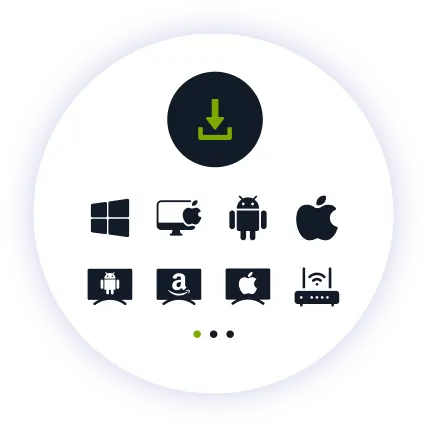
Step 2

Install the App

Install our user-friendly app. Available for iPhone, iPad, Android, Windows, Mac, Amazon Fire TV Stick, and more.

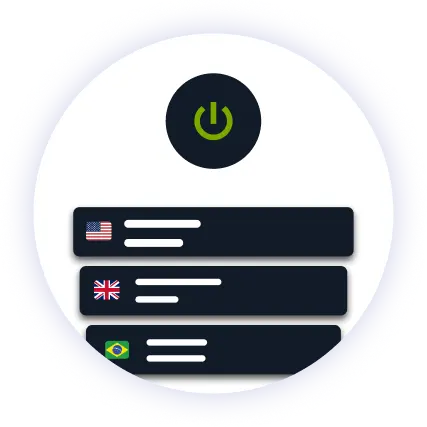
Step 3

Connect and Watch

Pick your home country in the server list and hit connect. Open DAZN and your subscription loads as normal.

Why ZoogVPN is Your Solution for DAZN

Get Past Geo-Restrictions

DAZN runs active VPN and proxy detection, checking IP addresses, DNS leaks and device location against your account country. ZoogVPN encrypts your traffic so your connection does not stand out, and keeps refreshing its streaming IPs so you are not left stuck on one that has been flagged.

Stop Buffering

When a big match kicks off and everyone streams at once, ISPs often throttle heavy live video traffic. Our encrypted tunnel hides what you are streaming, so your provider cannot single out your connection right when you're watching.

Test Before Spending

You don't even need to pay to get started. Our Free access includes 5 locations in Washington, London, Singapore, Amsterdam and Dusseldorf. With ZoogVPN, simply see how DAZN behaves from your home market before choosing a plan.

ZoogVPN vs Average VPN for DAZN

See why millions of users choose us for streaming DAZN

Get Premium Now
Feature
Average Free VPN
ZoogVPN Premium
Speeds for Streaming DAZN
Throttled & Slow
1 Gbps servers for smooth live HD
Unblocking Capabilities
Usually detected and blocked
Bypasses Regional Restrictions
Bandwidth Limit
Capped (e.g. 5GB/month)
Unlimited
Simultaneous Devices
1 Device only
Up to 10

Privacy on Every Screen

One subscription. Up to 10 devices.

Watch DAZN on Android TV & Firestick

Live sport belongs on the biggest screen in the house. ZoogVPN offers native apps for Android TV and Amazon Fire TV Stick.

  • Search for “ZoogVPN” in your TV’s app store and install it.
  • Log in and connect to your home country.
  • Open DAZN and start watching.

Watch DAZN on Windows & macOS

Prefer your laptop or desktop? Our lightweight apps for Windows and macOS get you connected in seconds.

  • Download and install the ZoogVPN desktop app.
  • Sign in and connect to your home country.
  • Open DAZN in your browser and hit play.

Watch DAZN on iOS & Android

Traveling with just your phone? Keep watching with our mobile apps.

  • Download ZoogVPN from the App Store or Google Play.
  • Log in, tap connect and choose your home country.
  • Open DAZN and watch on the go.
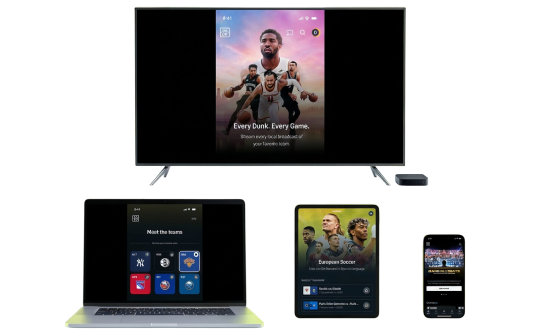
DAZN Devices

Trusted by Experts. Loved by Users.

Consistent high ratings across all platforms and devices.

Frequently Asked Questions

Everything you need to know about privacy, speed, and features.

Does a VPN work with DAZN?

Yes, with a VPN that keeps fresh streaming addresses. DAZN runs active detection for VPN and proxy IPs, checking DNS leaks and device location too, and publishes its own help article on it. ZoogVPN runs dedicated streaming servers and rotates them regularly, so you are not left sitting on a flagged address.

How do I watch DAZN while traveling?

Connect to a server in your home country, open DAZN, and your subscription loads as if you never left. If you are an EEA subscriber traveling within the EEA, DAZN’s own EU Portability feature may already cover you without a VPN at all.

Can I use a VPN to access another country's DAZN catalog?

No, and DAZN treats this as a terms violation with real consequences: its help center describes active VPN detection and warns that circumventing it can lead to account suspension. A VPN is for reaching the market your account already belongs to, not for switching markets: .

Does a VPN slow down DAZN?

Not with ZoogVPN. Our high-speed 1 Gbps servers are optimized for streaming, so live HD holds up without trading away your privacy.

Why did DAZN stop working when I travelled?

DAZN checks your location against the country your account is registered in, and outside DAZN’s own portability tools, playback can simply stop once you leave. Connecting to a server in your home country resolves this.

What is DAZN's EU Portability feature?

It is DAZN’s own official tool that lets EEA subscribers use their home subscription while temporarily in another EEA country, based on your account rather than a VPN. It does not cover travel outside the EEA, which is where a VPN back to your home country becomes useful: .

How do I set up a VPN for DAZN on my TV?

Fire TV Stick: install ZoogVPN from the App Store. Android TV: find it on Google Play. No app store (Samsung, LG, Sony)? Install ZoogVPN on your router and every device on that Wi-Fi, TV included, is covered automatically.

Does DAZN show the same sports in every country?

No. Rights are negotiated market by market and change over time, so competitions like Serie A, Champions League and boxing are not available the same way everywhere. Check what your specific market’s DAZN plan includes rather than assuming it matches another country’s.

Why Server Location Matters for Watching DAZN?

DAZN is not one subscription, it is a different one for every market it sells in. Pricing, coverage and available competitions are all set per country, and a subscription bought in one market is not meant to travel with you to another. Your IP address is what tells DAZN which account country you belong to.

That is why server location matters here more than variety. A server in your home country puts you back on the subscription you actually pay for. DAZN’s own EU Portability feature already covers some EEA travel without a VPN, so the real value of a VPN is reaching home from outside the EEA, or wherever that official coverage does not reach: .

Get your VPN ready before the next match. Stream DAZN from anywhere in the world.

Get ZoogVPN Now