












WATCH BINGE FROM ANYWHERE

Best VPN for BINGE to Watch From Anywhere

BINGE is a popular Australian streaming service with shows, movies and documentaries from HBO, FX and Warner Bros. Users outside Australia can’t access it, but ZoogVPN’s Sydney server lets you watch BINGE from anywhere.

  • Watch BINGE from outside Australia
  • Australian server in Sydney
  • Avoid ISP throttling while streaming
  • Works on Android TV, Firestick and routers
4.7

Why Use a VPN for BINGE?

BINGE has an extensive library, from Game of Thrones and Westworld to Succession and BINGE Originals. But users outside Australia can’t access the service. A VPN connects you to an Australian server and changes your IP address, so you can watch BINGE just as you would in Australia.


BINGE Access by Location

BINGE only works in Australia. Here is which server gets you watching from each location.

UK Is Blocked

Free server
Flag United Kingdom
Server London

BINGE is geo-restricted outside Australia, so a London connection won't open it. Switch to our Sydney server to watch.

How to get UK location

Japan Is Blocked

Premium server
Japan Flag
Server Tokyo

BINGE is geo-restricted outside Australia, so a Tokyo connection won't open it. Switch to our Sydney server to watch.

How to get JP location

US Is Blocked

Free server
Flag USA
Server USA

BINGE is geo-restricted outside Australia, so a USA connection won't open it. Switch to our Sydney server to watch.

How to get USA location

How to Watch BINGE Outside Australia With VPN?

No matter where you are or which device you use, a reliable VPN gets you past BINGE’s geo-restrictions. Here’s how in 3 steps.

Step 1

Get ZoogVPN

Sign up for ZoogVPN Premium to get our Australian server and 120+ locations around the globe.

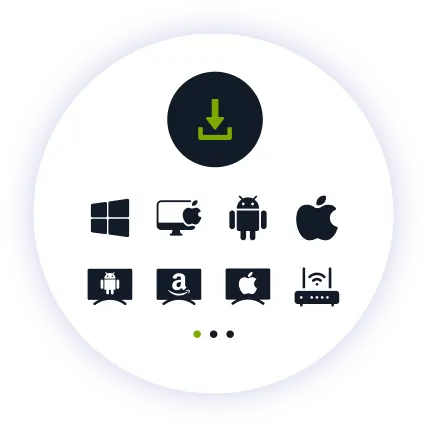
Step 2

Install the App

Install our user-friendly app. Available for computers, phones, tablets, Android TV and Firestick.

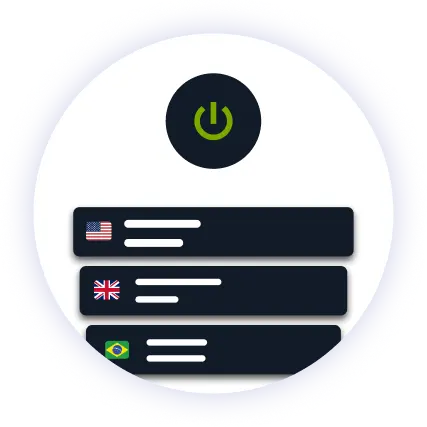
Step 3

Connect and Watch

Connect to our Sydney server from the server list. Open BINGE and start watching.

Why ZoogVPN is Your Solution for BINGE

Get Past Geo-Restrictions

BINGE is exclusively available in Australia. ZoogVPN's Sydney server gives you a private Australian IP address, so you can register or sign in and enjoy BINGE's content from any country.

Stop Buffering

ISPs often slow you down once you use a lot of bandwidth, causing buffering in HD. ZoogVPN encrypts your connection, making it hard for your ISP to track your activity and throttle BINGE.

Test Before Spending

Not sure yet? Try ZoogVPN for BINGE risk-free with our 7-day money-back guarantee before settling on one of our affordable premium plans.

ZoogVPN vs Average VPN for BINGE

See why millions of users choose us for streaming BINGE

Get Premium Now
Feature
Average Free VPN
ZoogVPN Premium
Speeds for Streaming BINGE
Throttled & Slow
1 Gbps servers for smooth HD streaming
Unblocking Capabilities
Usually detected and blocked
Bypasses Regional Restrictions
Bandwidth Limit
Capped (e.g. 5GB/month)
Unlimited
Simultaneous Devices
1 Device only
Up to 10

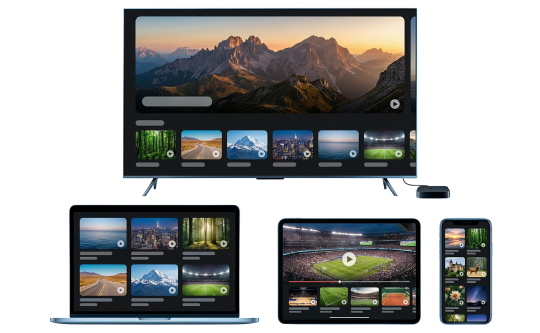
Privacy on Every Screen

One subscription. Up to 10 devices.

Watch BINGE on Android TV & Firestick

BINGE belongs on the biggest screen in the house. ZoogVPN offers native apps for Android TV and Amazon Fire TV Stick.

  • Search for “ZoogVPN” in your TV’s app store and install it.
  • Log in and connect to our Sydney server.
  • Open BINGE and start watching.

Watch BINGE on Windows & macOS

Prefer your laptop or desktop? Our lightweight apps for Windows and macOS get you connected in seconds.

  • Download and install the ZoogVPN desktop app.
  • Sign in and connect to our Sydney server.
  • Open BINGE in your browser and hit play.

Watch BINGE on iOS & Android

Prefer watching on the go? Stream BINGE straight from your phone or tablet with our mobile apps.

  • Download ZoogVPN from the App Store or Google Play.
  • Log in, tap connect and choose our Sydney server.
  • Open BINGE and watch on the go.
Placeholder images Max Devices

Trusted by Experts. Loved by Users.

Consistent high ratings across all platforms and devices.

Frequently Asked Questions

Everything you need to know about privacy, speed, and features.

Do I need a VPN for BINGE?

Yes, if you’re outside Australia. BINGE is only available there, and a VPN gives you an Australian IP address so you can watch from anywhere.

Is it legal to use a VPN for BINGE?

Yes, using VPN services is perfectly legal in Australia, even though some streaming services try to restrict access via VPNs.

Can I cancel my subscription at any time?

Yes, of course. You can cancel whenever you want. Just reach out to our 24/7 customer support team for assistance.

Does a VPN slow down BINGE?

Not with ZoogVPN. You get a fast and secure connection, so your shows keep playing without trading away your privacy.

Can I watch BINGE while traveling abroad?

Yes. Wherever you are, connect to our Sydney server and BINGE works the same way it does at home.

What can I watch on BINGE?

30 Rock, Band of Brothers, Barry and Big Little Lies, plus Game of Thrones, Westworld, Succession and BINGE Originals.

How do I set up a VPN for BINGE on my TV?

Fire TV Stick: install ZoogVPN from the App Store. Android TV: find it on Google Play. No app store (Samsung, LG, Sony)? Install ZoogVPN on your router and every device on that Wi-Fi, TV included, is covered automatically.

Which server should I use for BINGE?

Our Sydney server. BINGE only works with an Australian IP address, so connect there before you start streaming.

Why Server Location Matters for BINGE?

BINGE is exclusively available in Australia. Users outside the country can’t access it, so you need an Australian IP address to watch.

That is why ZoogVPN offers a server in Sydney. For TVs without our app, you can install ZoogVPN on your router for stable, smooth viewing.

Get Your VPN Set Up in Minutes. Watch BINGE From Anywhere.

Get ZoogVPN Now