










WATCH NBA LEAGUE PASS FROM ANYWHERE

The Best NBA League Pass VPN to Watch Basketball From Anywhere

NBA League Pass decides what you can watch based on where it thinks you are. Local and national blackouts follow your location, and your IP address is the main thing making that call. ZoogVPN lets you connect from the location you choose and keeps your own subscription reachable while you travel.

  • Reach your own League Pass subscription abroad
  • No ISP throttling or buffering
  • 1 Gbps servers built for live sport
  • Works on all your devices
4.7

Why Use a VPN for NBA League Pass?

League Pass comes in two separate products: a US and Canada version with local and national blackouts, and an International version sold outside North America with no blackouts at all, since nothing is in-market from there. Both check your location using your IP address and, on mobile, your device’s GPS. A VPN routes your connection through a server in the location you choose, so League Pass sees that location instead of your real one.


Best NBA League Pass Locations to Stream From

Blackouts follow the location League Pass places you in, and national games stay restricted no matter where you connect from. Check the FAQ before planning a season around it.

UK Location

Free server
Flag United Kingdom
Server London

Well outside every US and Canada blackout territory, so local blackouts do not apply here. The usual first choice for reaching League Pass away from North America.

How to get UK location

Japan Location

Premium server
Japan Flag
Server Tokyo

Also outside every North American blackout territory, and the shortest route for subscribers watching from Asia and the Pacific.

How to get JP location

US Location: Limited Benefit

Free server
Flag USA
Country USA

Connecting to a US server can land you inside a different local blackout territory, and it does nothing about national game blackouts, which apply everywhere regardless of location.

How to get USA location

How to Watch NBA League Pass With VPN From Anywhere?

League Pass checks your location every time you open a game, and it does not rely on your IP address alone. The mobile apps also read your device’s own location, so changing your connection while leaving that switched on will still place you back at home. Setting it up properly takes 3 short steps.

Step 1

Get ZoogVPN

Create your account in seconds. Start with our forever-free plan or choose premium for unlimited streaming.

Step 2

Install the App

Install our user-friendly app. Available for iPhone, iPad, Android, Windows, Mac, Amazon Fire TV Stick, and more.

Step 3

Connect and Restart

Pick your location in the server list and hit connect. On phones and streaming boxes, check the app’s location permission in your device settings, then restart the app so it picks up the new connection.

Why ZoogVPN is Your Solution for NBA League Pass

Get Past Geo-Restrictions

League Pass keeps lists of known VPN and datacenter addresses and blocks them on sight, which is why free and shared VPNs tend to fail on it. ZoogVPN encrypts your traffic so your connection does not advertise itself as VPN traffic, and keeps refreshing its streaming IPs so you are not left on an address that has already been flagged.

Stop Buffering

Live basketball is unforgiving of lag. When a big game is on and everyone streams at once, ISPs often throttle heavy video traffic. Our encrypted tunnel hides what you are streaming, so your provider cannot single out your connection at the worst possible moment.

Test Before Spending

You don't even need to pay to get started. Our Free access includes 5 locations in Washington, London, Singapore, Amsterdam and Dusseldorf. With ZoogVPN, simply see how League Pass behaves from a different location before choosing a plan.

ZoogVPN vs Average VPN for NBA League Pass

See why millions of users choose us for streaming NBA League Pass

Get Premium Now
Feature
Average Free VPN
ZoogVPN Premium
Speeds for Streaming League Pass
Throttled & Slow
1 Gbps servers for smooth live HD
Unblocking Capabilities
Usually detected and blocked
Bypasses Regional Restrictions
Bandwidth Limit
Capped (e.g. 5GB/month)
Unlimited
Simultaneous Devices
1 Device only
Up to 10

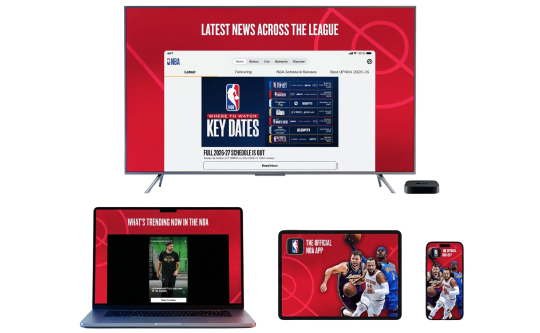
Privacy on Every Screen

One subscription. Up to 10 devices.

Watch NBA League Pass on Android TV & Firestick

Basketball belongs on the big screen. ZoogVPN offers native apps for Android TV and Amazon Fire TV Stick.

  • Search for “ZoogVPN” in your TV’s app store and install it.
  • Log in and connect to your chosen location.
  • Restart the League Pass app so it picks up the new connection, then start the game.

Watch NBA League Pass on Windows & macOS

The browser is the simplest place to watch, since desktop has no device location to worry about.

  • Download and install the ZoogVPN desktop app.
  • Sign in and connect to your chosen location.
  • Open League Pass in your browser and hit play.

Watch NBA League Pass on iOS & Android

Watching from your phone or tablet? The mobile apps read device location as well as your connection, so check both.

  • Download ZoogVPN from the App Store or Google Play.
  • Log in, tap connect and choose your location.
  • Check the League Pass app’s location permission in settings, then reopen it.
NBA Devices

Trusted by Experts. Loved by Users.

Consistent high ratings across all platforms and devices.

Frequently Asked Questions

Everything you need to know about privacy, speed, and features.

Why is my NBA League Pass VPN not working?

League Pass blocks known VPN and datacenter IP ranges, commonly returning what is widely reported as error 7027 when it detects one. Switching to a different ZoogVPN server usually clears it, since we rotate our streaming servers regularly to stay ahead of these blocks.

How do I watch NBA League Pass while traveling?

Connect to a server in the location you want before opening League Pass. On phones and streaming boxes, check the app’s location permission in your device settings too, since the apps read device location alongside your connection. Restart the app afterwards.

Will a VPN let me watch every NBA game?

No. National games are blacked out on League Pass regardless of where you connect from, and the NBA’s own Terms of Use prohibit using the service from a location where blackout restrictions apply. If a game is exclusive to a national broadcaster, no server location will make it play on League Pass: .

Can I use a VPN to get around NBA League Pass blackouts?

A VPN changes the location League Pass sees, and that location is what local blackouts are based on. Before relying on it, know what you are agreeing to: the NBA’s Terms of Use explicitly state you may not use the service from outside the allowable territories or in an area where blackout restrictions apply. That is the NBA’s stated policy rather than ours, and it is worth reading their current terms so the decision is an informed one.

Why does League Pass still show a blackout after I connect?

Usually one of three things. The app may be reading your device location rather than your connection, so check its location permission and restart it. The address you are on may have been flagged, so switch to another server. Or the game may be a national exclusive, which no location changes.

Does a VPN slow down NBA League Pass?

Not with ZoogVPN. Our high-speed 1 Gbps servers are optimized for streaming, so live HD holds up through all four quarters without trading away your privacy.: .

How do I set up a VPN for NBA League Pass on my TV?

Fire TV Stick: install ZoogVPN from the App Store. Android TV: find it on Google Play. No app store (Samsung, LG, Sony)? Install ZoogVPN on your router and every device on that Wi-Fi, TV included, is covered automatically.

Which server should I use for NBA League Pass?

Pick one well outside North America, and close to you for speed. London and Amsterdam suit viewers in Europe and are both on the free plan. Tokyo is the shorter route from Asia and the Pacific and needs a premium plan.

Why Server Location Matters for Watching NBA League Pass?

League Pass is another streaming subscription where location decides not what sits in the catalog but whether a particular game plays at all. Every team has a home television territory, and national broadcast games are pulled from League Pass entirely regardless of where you are. The US and Canada version carries these restrictions; the International version, sold outside North America, does not.

That is why the server list matters more here than almost anywhere else. Connecting from well outside North America avoids local blackouts entirely, since the International product was built without them. It is worth knowing where the limits sit too: national games are restricted from every location, and the NBA’s own terms set out that using the service to work around blackout restrictions is not allowed. Both are worth reading up on before building a season around it: .

Get Your VPN Ready Before Tip-Off. Stream NBA League Pass From Wherever You Are.

Get ZoogVPN Now