











STREAM NFL+ MORE PRIVATELY

The Best NFL Plus VPN for Privacy and Faster Streaming

NFL+ is a US subscription with strict location checks built in, including a GPS check on mobile for live blackout content, so a VPN cannot reliably unlock games outside your actual location. What ZoogVPN does deliver is real: an encrypted connection that keeps your streaming private and stops your ISP throttling the stream during a big game.

  • Encrypted, private streaming of your NFL+ subscription
  • No ISP throttling during live games
  • Fast US servers for smooth HD playback
  • Works on all your devices
4.7

Why Use a VPN for NFL+?

NFL+ is worth being upfront about. It is a US-only service, and beyond the usual IP check, its mobile app also checks your device’s GPS location for live local and primetime games, so a VPN’s IP change alone will not reliably unlock blacked-out content the way it does with most other streaming apps. What a VPN does give you with NFL+ is genuinely useful on its own: an encrypted connection your ISP cannot see into, so it cannot throttle your stream during a big game, plus the privacy of not having your viewing tied to your raw IP address.


What to Know Before Using a VPN with NFL+

NFL+ layers a GPS check on top of its US IP requirement. Here is what that means in practice.

NFL+ Is US-Only

Free server
Flag United Kingdom
Server London

A UK, or any non-US, connection will not open NFL+ at all. There is no separate international version of the app to connect to instead.

How to get UK location

Live Games Also Check GPS

Premium server
Japan Flag
Server Tokyo

For live local and primetime games, the NFL+ mobile app checks your phone's real GPS location alongside your IP. A VPN alone does not change that, so it is not a reliable way to unlock blacked-out live games.

Learn more

Traveling Outside the US?

Free server
Flag USA
Server USA

NFL's own sanctioned option for fans outside the US is NFL Game Pass International, run by DAZN in most markets. It is built for exactly this and does not rely on spoofing a location.

How to get USA location

How to Stream NFL+ Privately With a VPN?

If you already have NFL+ access from inside the US, adding a VPN for privacy and throttling protection takes 3 short steps.

Step 1

Get ZoogVPN

Create your account in seconds. Start with our forever-free plan or choose premium for unlimited streaming.

Step 2

Install the App

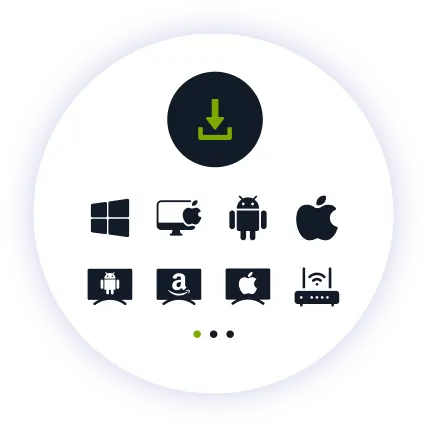
Install our user-friendly app. Available for iPhone, iPad, Android, Windows, Mac, Amazon Fire TV Stick, and more.

Step 3

Connect and Watch

Connect to a nearby US server for the best speed. Open NFL+ and stream as usual, with your traffic encrypted end to end.

Why ZoogVPN is a Good Match for NFL+ Streaming

Get Past Geo-Restrictions

NFL+ already knows who your subscription is for. What ZoogVPN adds is protection your ISP cannot see past: an encrypted tunnel that stops them throttling video traffic during peak game hours, and keeps your viewing habits off their radar.

Stop Buffering

When a big game kicks off and everyone streams at once, ISPs often throttle heavy video traffic. Our encrypted tunnel hides what you are streaming, so your provider cannot pick out your connection and slow it down mid-game.

Test Before Spending

You don't even need to pay to get started. Our Free access includes 5 locations in Washington, London, Singapore, Amsterdam and Dusseldorf, so you can try ZoogVPN alongside NFL+ before picking a plan.

ZoogVPN vs Average VPN for NFL+

See why millions of users choose us for streaming

Get Premium Now
Feature
Average Free VPN
ZoogVPN Premium
Speeds for Streaming NFL+
Throttled & Slow
1 Gbps servers for smooth live HD
Traffic Privacy
Basic
Full Encryption from Your ISP
Bandwidth Limit
Capped (e.g. 5GB/month)
Unlimited
Simultaneous Devices
1 Device only
Up to 10

Privacy on Every Screen

One subscription. Up to 10 devices.

Stream NFL+ on Android TV & Firestick

Game day belongs on the biggest screen in the house. ZoogVPN offers native apps for Android TV and Amazon Fire TV Stick.

  • Search for “ZoogVPN” in your TV’s app store and install it.
  • Log in and connect to a nearby US server.
  • Open NFL+ and start watching.

Stream NFL+ on Windows & macOS

Prefer your laptop or desktop? Our lightweight apps for Windows and macOS get you connected in seconds.

  • Download and install the ZoogVPN desktop app.
  • Sign in and connect to a nearby US server.
  • Open NFL+ in your browser and hit play.

Stream NFL+ on iOS & Android

NFL+ is primarily a mobile app, and this is where its GPS location check applies most strictly for live games.

  • Download ZoogVPN from the App Store or Google Play.
  • Log in, tap connect and choose a US location.
  • Open NFL+; note that live blackout games also check your phone’s real GPS location.
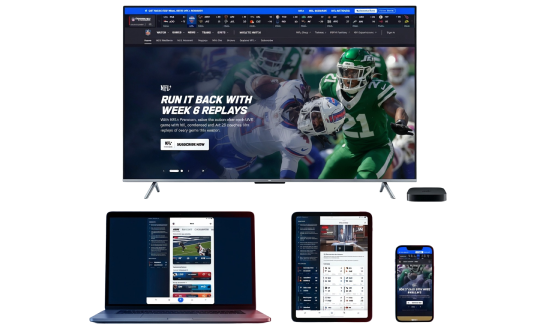
NFL Devices

Trusted by Experts. Loved by Users.

Consistent high ratings across all platforms and devices.

Frequently Asked Questions

Everything you need to know about privacy, speed, and features.

Does a VPN unblock NFL+ from outside the US?

Not reliably. NFL+ is a US-only service and its mobile app checks your device’s real GPS location, not just your IP address, for live local and primetime games. Changing your IP with a VPN does not change your phone’s GPS reading, so blacked-out live content typically stays locked even while connected.

What does a VPN actually do for NFL+ then?

For a subscriber already watching from inside the US, a VPN adds real encryption, so your ISP cannot see or throttle your NFL+ traffic during a game, and your viewing is not tied to your raw IP address. It is a privacy and speed tool here, not an unblocking one.

How do I watch NFL+ while traveling outside the US?

NFL’s own sanctioned route is NFL Game Pass International, run by DAZN in most non-US markets, which is built specifically for fans outside the US rather than relying on a VPN.

Does a VPN slow down NFL+ streaming?

No, not with ZoogVPN. Our high-speed 1 Gbps servers are optimized for streaming, so live HD holds up while your connection stays private.

Why does NFL+ check GPS location on mobile?

Live local and primetime game blackouts are tied to physical market location under the NFL’s broadcast agreements, so the app cross-checks GPS against your IP to enforce that, more strictly than most other streaming apps.

Is NFL+ Premium affected the same way?

Yes. NFL+ Premium adds replays, coaches film and NFL Network access, but live local-market blackout rules and the GPS check on mobile apply the same way regardless of tier.

How do I set up a VPN for NFL+ on my TV?

Fire TV Stick: install ZoogVPN from the App Store. Android TV: find it on Google Play. No app store (Samsung, LG, Sony)? Install ZoogVPN on your router and every device on that Wi-Fi, TV included, is covered automatically.

Which server should I use for NFL+?

Any nearby US server for the best speed, since it is your device’s actual location and IP together that NFL+ checks for live blackout content, not just which server you pick.

Why Encryption Matters More Than Location for NFL+

NFL+ ties live blackout content to your device’s real GPS location as well as your IP address, which is stricter than most streaming apps and means a VPN cannot be sold here as a way to unlock games from elsewhere. What still matters is what happens to your traffic once you are legitimately watching.

An encrypted VPN connection keeps your ISP from seeing or throttling video traffic during a big game, and keeps your streaming activity away from anyone monitoring the network you are on. That is real value NFL+ viewers get from a VPN, separate from any location-unblocking claim.

Get ZoogVPN Set Up Before Kickoff. Stream NFL+ Privately and Without Throttling.

Get ZoogVPN Now