











WATCH TUBI FROM ANYWHERE

The Best VPN to Get Tubi Unblocked From Anywhere

Tubi is free, but it is not available everywhere, and its library changes from country to country based on local licensing. ZoogVPN connects you to a server in a country where Tubi runs, so you can keep watching your usual library, or see what another country’s version carries.

  • Reach Tubi from countries it does not cover
  • Keep your home library while traveling
  • No ISP throttling or buffering
  • Works on all your devices
4.7
Streaming Tubi hero img

Why Use a VPN for Tubi?

Tubi only operates in a handful of countries, including the US, Canada, the UK, Australia and a few others, and its free library is built separately for each one through local licensing deals. Outside those countries the service is not available at all. A VPN routes your connection through a server in a country where Tubi runs, so you can reach your usual library from abroad or browse what another supported country’s version carries.


Best Tubi Locations to Stream From

Tubi only runs in a limited set of countries, and each one gets its own library. Here is what to expect from three popular locations.

UK Library

Free server
Flag United Kingdom
Server London

Tubi launched in the UK in 2024 and has grown its free library quickly since, adding titles through deals with major studios.

How to get UK location

Japan Has No Tubi Service

Not available
Japan Flag
Server Tokyo

Tubi has not launched in Japan or most of Asia, so there is no local version to connect to from there.

How to get JP location

US Library

Free server
Flag USA
Server USA

The US version is Tubi's original and largest library, with the widest selection of free movies and shows.

How to get USA location

How to Watch Tubi With VPN From Anywhere?

Tubi checks your location to decide whether it can run at all, and separately to decide which library to show you, since coverage and content are both built country by country. Setting it up properly takes 3 short steps.

Step 1

Get ZoogVPN

Create your account in seconds. Start with our forever-free plan or choose premium for unlimited streaming.

Step 2

Install the App

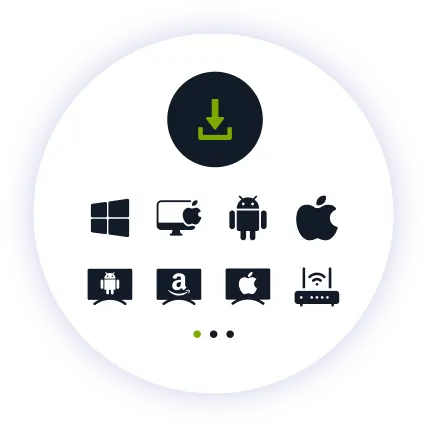
Install our user-friendly app. Available for iPhone, iPad, Android, Windows, Mac, Amazon Fire TV Stick, and more.

Step 3

Connect and Watch

Pick a supported country from the server list and hit connect. Open Tubi and that country’s library loads automatically.

Why ZoogVPN is Your Solution for Tubi

Get Past Geo-Restrictions

Tubi checks incoming connections for VPN and datacenter IP ranges, though less aggressively than paid subscription services. ZoogVPN encrypts your traffic so your connection does not stand out, and keeps refreshing its streaming IPs so you are not left stuck on one that has been flagged.

Stop Buffering

Free ad-supported streaming can already stutter under a slow connection, and ISPs sometimes throttle streaming traffic further. Our encrypted tunnel hides what you are streaming, so your provider cannot single out your connection and slow it down.

Test Before Spending

You don't even need to pay to get started. Our Free access includes 5 locations in Washington, London, Singapore, Amsterdam and Dusseldorf, so you can try Tubi from a supported country before choosing a plan.

ZoogVPN vs Average VPN for Tubi

See why millions of users choose us for streaming Tubi

Get Premium Now
Feature
Average Free VPN
ZoogVPN Premium
Speeds for Streaming Tubi
Throttled & Slow
1 Gbps servers for smooth HD streaming
Unblocking Capabilities
Usually detected and blocked
Bypasses Regional Restrictions
Bandwidth Limit
Capped (e.g. 5GB/month)
Unlimited
Simultaneous Devices
1 Device only
Up to 10

Privacy on Every Screen

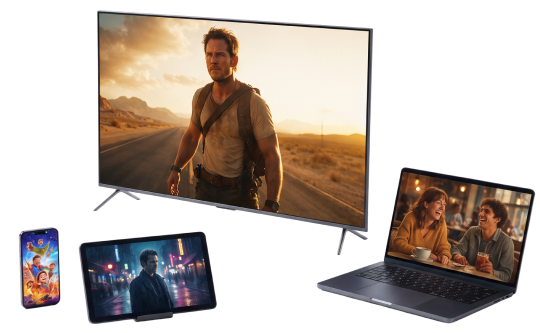
One subscription. Up to 10 devices.

Watch Tubi on Android TV & Firestick

Free movies and shows belong on the biggest screen in the house. ZoogVPN offers native apps for Android TV and Amazon Fire TV Stick.

  • Search for “ZoogVPN” in your TV’s app store and install it.
  • Log in and connect to a supported country.
  • Open Tubi and start watching.

Watch Tubi on Windows & macOS

Prefer your laptop or desktop? Our lightweight apps for Windows and macOS get you connected in seconds.

  • Download and install the ZoogVPN desktop app.
  • Sign in and connect to a supported country.
  • Open Tubi in your browser and hit play.

Watch Tubi on iOS & Android

Prefer watching on the go? Stream Tubi straight from your phone or tablet with our mobile apps.

  • Download ZoogVPN from the App Store or Google Play.
  • Log in, tap connect and choose a supported country.
  • Open Tubi and watch on the go.
Tubi Devices

Trusted by Experts. Loved by Users.

Consistent high ratings across all platforms and devices.

Frequently Asked Questions

Everything you need to know about privacy, speed, and features.

Why is Tubi not working with my VPN?

Tubi checks for VPN and datacenter IP ranges, but is less aggressive about it than paid subscription services. Switching to a different ZoogVPN server usually fixes it, since we rotate our streaming servers regularly to stay ahead of any blocks.

Which countries is Tubi available in?

Tubi runs in a limited set of countries, including the US, Canada, the UK, Australia, New Zealand and a few Latin American markets. It is not available in most of Europe, Asia, Africa or the Middle East.

Is Tubi's library different in each country?

Yes. Tubi licenses content separately for each country it operates in, so the US library and the UK library, for example, are not identical.

Does a VPN slow down Tubi?

Not with ZoogVPN. Our high-speed 1 Gbps servers are optimized for streaming, so playback stays smooth without trading away your privacy.

Can I watch my home Tubi library while traveling?

Yes. Connect to a server back home and Tubi loads your usual library, the same way it would if you had never left.

Do I need to pay for Tubi?

No, Tubi is completely free and ad-supported. There is no subscription to sign up for, so there is no billing risk in reaching it from a different location.

How do I set up a VPN for Tubi on my TV?

Fire TV Stick: install ZoogVPN from the App Store. Android TV: find it on Google Play. No app store (Samsung, LG, Sony)? Install ZoogVPN on your router and every device on that Wi-Fi, TV included, is covered automatically.

Which server should I use for Tubi?

Whichever supported country you want the library from. The US server gives the widest overall selection, while the UK server has grown quickly since Tubi’s 2024 launch there.

Why Server Location Matters for Watching Tubi?

Tubi is not available everywhere, and where it is available, the free library is licensed separately for each country. There is no single global version, and the wrong location can mean no access at all rather than just a smaller catalog.

That is why picking the right server matters more for Tubi than for many other services. A VPN with servers in the US, UK and other supported countries means you can always reach a working version, whichever one fits your library preference.

Get Your VPN Set Up in Minutes. Watch Tubi's Free Library From Anywhere.

Get ZoogVPN Now