






WATCH TVPLAYER FROM ANYWHERE

The Best VPN for TVPlayer to Watch British Channels Abroad

TVPlayer carries British live channels and catch-up, licensed for the United Kingdom. Abroad the player stops before it starts. ZoogVPN gives your connection a British address, so the channels return.

  • Watch TVPlayer outside United Kingdom
  • United Kingdom IP address from a server in London
  • Full HD without stalling or drops
  • Up to 10 devices per account
4.7

Why Use a VPN for TVPlayer?

The channels inside TVPlayer are licensed for the United Kingdom, so the service checks your address before it loads the guide. British viewers abroad and expats following a series hit the same block. A VPN routes your traffic through a server in London, so TVPlayer sees a British address and the channel list appears.


Which Server to Pick for TVPlayer

Only a a British address unlocks the stream. The other locations are there to test the route and to keep everyday traffic encrypted.

United Kingdom

Free server
Flag United Kingdom
Server London

The location that opens TVPlayer, with the live channels and the on-demand library. It is included in the free plan, so you can try it before paying.

How to get a United Kingdom address

Germany

Free server
Flag of Germany
Server Dusseldorf

The nearest free European server. It will not unlock the stream, but it shows you how the route performs before you move to premium.

How to get a Germany address

Netherlands

Free server
Flag of the Netherlands
Server Amsterdam

The second free location in Europe. A sensible default for keeping everyday traffic encrypted when there is nothing on.

How to get a Netherlands address

How to Watch TVPlayer From Anywhere?

Three steps and a couple of minutes. Nothing to configure by hand and no settings to change on your TV.

Step 1

Get ZoogVPN

Create your account in seconds. The United Kingdom location is part of the free plan, so you can start without paying.

Step 2

Install the App

Install our lightweight app. Available for iPhone, iPad, Android, Windows, Mac, Android TV and routers.

Step 3

Connect and Watch

Pick London from the server list and hit connect. Reload TVPlayer and press play.

Why ZoogVPN is Your Solution for TVPlayer

A Picture That Holds

Streaming does not forgive stalling. Our servers run on 1 Gbps links and are built for video traffic, so the picture keeps its quality through the whole show instead of dropping to a blur whenever the network gets busy.

The TV Counts Too

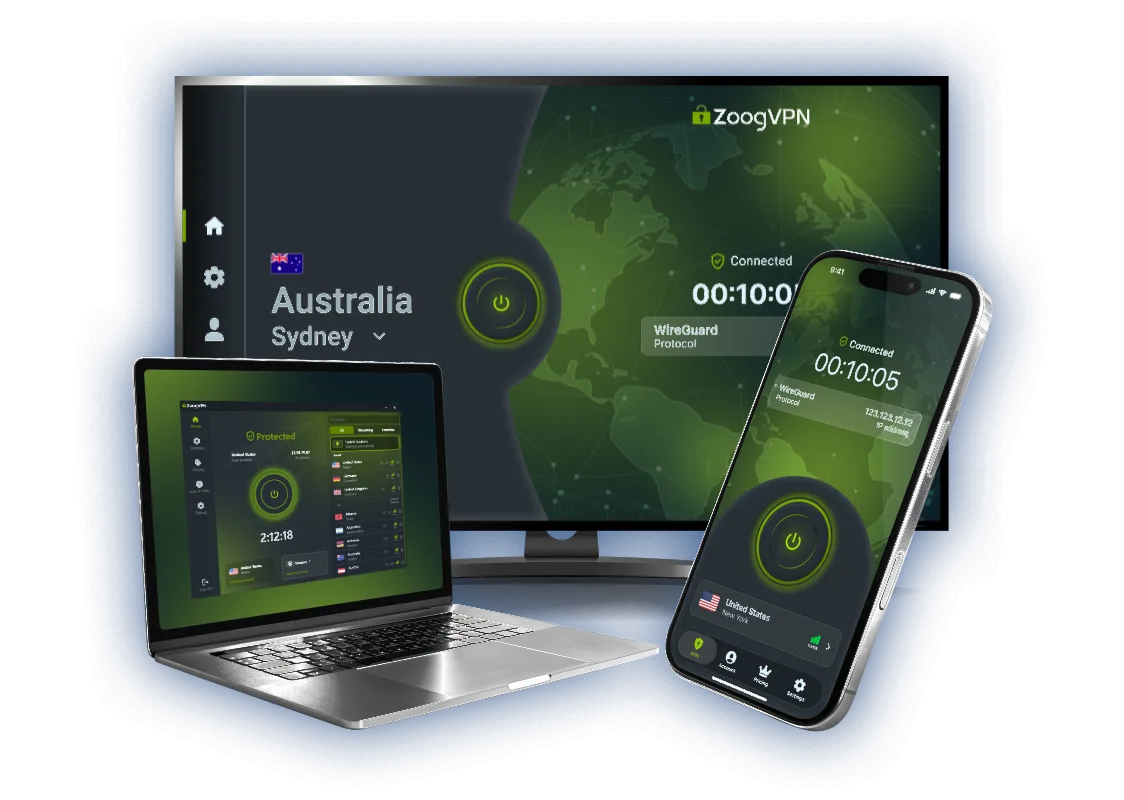
Shows belong on the big screen. ZoogVPN has an Android TV app, and where there is no app store, setting the connection up on your router covers the television as well.

No Data Cap

Two hours of HD is several gigabytes. The premium plan has no traffic limit, so nothing cuts out halfway through.

ZoogVPN vs Average Free VPN for TVPlayer

What actually changes when you stop using a free browser add on.

Get Premium
Feature
Average Free VPN
ZoogVPN Premium
United Kingdom IP Address
Rarely offered
London server on the free plan
Stream Quality
Stalling, drops to low quality
1 Gbps servers, smooth HD
Bandwidth Limit
Capped, often 5GB a month
Unlimited
Simultaneous Devices
1 device only
Up to 10

Privacy on Every Screen

One subscription. Up to 10 devices.

TVPlayer on Android TV and Firestick

The main screen in the house is where this belongs. ZoogVPN has native apps for Android TV and Amazon Fire TV Stick.

  • Search for “ZoogVPN” in your TV app store and install it.
  • Log in and connect to London.
  • Open TVPlayer and start watching.

TVPlayer on iOS and Android

The easiest option when you are travelling. The app connects in one tap and stays on in the background.

  • Download ZoogVPN from the App Store or Google Play.
  • Log in, pick United Kingdom and tap connect.
  • Open the TVPlayer app and watch.

TVPlayer on Windows and macOS

On a laptop the app or the browser extension is enough. The full app also covers every other program on the machine.

  • Install the ZoogVPN app or the Chrome, Firefox or Edge extension.
  • Sign in and connect to the London server.
  • Reload the site in your browser.
devices

Trusted by Experts. Loved by Users.

Consistent high ratings across all platforms and devices.

Frequently Asked Questions

Everything you need to know about privacy, speed, and features.

Why does TVPlayer need a UK address?

The channels it carries are licensed for the United Kingdom, so the service refuses connections from outside.

Which server should I pick?

London. It gives you a British address and is part of our free plan.

Do I still need a TV Licence?

That is a question for the broadcasters you watch live in the UK, and a VPN does not change it either way.

Will the free plan unlock it?

Yes. TVPlayer needs a a British address, and that location is part of the free plan, so you can test the stream before paying for anything.

Does a VPN hurt the picture quality?

Not with ZoogVPN. Our servers run on 1 Gbps links and are built for video. If the picture does stutter, switch to another server in the same country or change protocol in the app settings.

Can I watch on my TV?

Yes. Android TV and Fire TV Stick have their own ZoogVPN app. On a Samsung, LG or Sony set with no app store, install ZoogVPN on your router instead and every device on that Wi-Fi is covered.

The stream still will not start. What now?

Try another server in the same country first, since a single address can get flagged while the rest work. If that fails, clear the site data in your browser or switch protocol in the app. Our support team can point you to a location that is working right now.

Why Server Choice Decides Everything for TVPlayer

TVPlayer distributes British channels under British licences, so your address decides whether the guide loads at all.

That is why the country you connect through matters more than the number of servers on a marketing page. A British address from London opens the channel list and is included in the free plan. ZoogVPN runs 120+ locations across 80+ countries on 1 Gbps hardware.

Set up ZoogVPN in a couple of minutes. Watch TVPlayer from anywhere.

Get ZoogVPN Now