











WATCH UFC FIGHT PASS FROM ANYWHERE

Best VPN for UFC Fight Pass to Stream Privately

UFC Fight Pass is worth being clear about. Since January 2026, live UFC numbered events moved to Paramount plus in the US, so Fight Pass now covers early prelims, an extensive archive, and 200 plus partner combat sports promotions. ZoogVPN keeps that library streaming privately and without ISP throttling, wherever you are.

  • Reach Fight Pass’s prelims and library from abroad
  • No ISP throttling or buffering
  • Several server locations to switch between
  • Works on all your devices
4.7
Streaming UFC Fight Pass hero img

Why Use a VPN for UFC Fight Pass?

UFC Fight Pass changed shape in January 2026 when live numbered UFC events moved to Paramount plus in the US under a new rights deal. Fight Pass itself still runs worldwide except Brazil, covering early prelims, a deep archive of past fights, and live events from over 200 partner promotions. A VPN keeps that access working reliably and privately from wherever you are, without your ISP seeing or throttling the stream.


Fight Pass Access From Popular Locations

Fight Pass runs almost everywhere, unlike many services. Here is what to expect from three popular locations.

UK Access

Free server
Flag United Kingdom
Server London

Fight Pass runs in the UK the same as most other markets, covering prelims, the archive library and partner promotions.

How to get UK location

Japan Access

Premium server
Japan Flag
Server Tokyo

Fight Pass is also available in Japan, with the same core content, though pricing and any live event carriage can vary by market.

How to get JP location

US Access

Free server
Flag USA
Server USA

The US version carries the same prelims and archive library, though live numbered UFC main cards now stream on Paramount plus instead of Fight Pass.

How to get USA location

How to Stream UFC Fight Pass Privately With a VPN?

Fight Pass checks your location like most streaming apps, and since it runs in nearly every country, a VPN mainly helps with reliability and privacy rather than unlocking access. Setting it up takes 3 short steps.

Step 1

Get ZoogVPN

Create your account in seconds. Start with our forever-free plan or choose premium for unlimited streaming.

Step 2

Install the App

Install our user-friendly app. Available for iPhone, iPad, Android, Windows, Mac, Amazon Fire TV Stick, and more.

Step 3

Connect and Watch

Connect to any nearby server for the best speed. Open Fight Pass and your subscription loads as usual, with your traffic encrypted end to end.

Why ZoogVPN is a Good Match for UFC Fight Pass

Get Past Geo-Restrictions

Fight Pass already knows who your subscription belongs to. What ZoogVPN adds is protection your ISP cannot see past: an encrypted tunnel that stops them throttling video traffic during a big card, and keeps your viewing habits off their radar.

Stop Buffering

When a big card drops and everyone streams at once, ISPs often throttle heavy video traffic. Our encrypted tunnel hides what you are streaming, so your provider cannot pick out your connection and slow it down mid-fight.

Test Before Spending

You don't even need to pay to get started. Our Free access includes 5 locations in Washington, London, Singapore, Amsterdam and Dusseldorf, so you can try ZoogVPN alongside Fight Pass before picking a plan.

ZoogVPN vs Average VPN for UFC Fight Pass

See why millions of users choose us for streaming

Get Premium Now
Feature
Average Free VPN
ZoogVPN Premium
Speeds for Streaming Fight Pass
Throttled & Slow
1 Gbps servers for smooth live HD
Traffic Privacy
Basic
Full Encryption from Your ISP
Bandwidth Limit
Capped (e.g. 5GB/month)
Unlimited
Simultaneous Devices
1 Device only
Up to 10

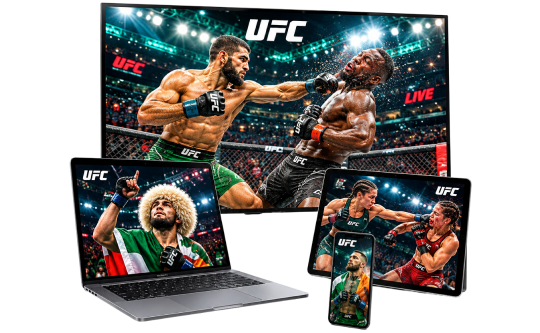
Privacy on Every Screen

One subscription. Up to 10 devices.

Watch UFC Fight Pass on Android TV & Firestick

Fight cards belong on the biggest screen in the house. ZoogVPN offers native apps for Android TV and Amazon Fire TV Stick.

  • Search for “ZoogVPN” in your TV’s app store and install it.
  • Log in and connect to a nearby server.
  • Open Fight Pass and start watching.

Watch UFC Fight Pass on Windows & macOS

Prefer your laptop or desktop? Our lightweight apps for Windows and macOS get you connected in seconds.

  • Download and install the ZoogVPN desktop app.
  • Sign in and connect to a nearby server.
  • Open Fight Pass in your browser and hit play.

Watch UFC Fight Pass on iOS & Android

Traveling with just your phone? Keep watching with our mobile apps.

  • Download ZoogVPN from the App Store or Google Play.
  • Log in, tap connect and choose a nearby server.
  • Open Fight Pass and watch on the go.
UFC Devices

Trusted by Experts. Loved by Users.

Consistent high ratings across all platforms and devices.

Frequently Asked Questions

Everything you need to know about privacy, speed, and features.

Can I watch live UFC events on Fight Pass?

Not the numbered main events, since January 2026. Those moved to Paramount plus in the US under a new rights deal, and full UFC main cards only arrive on Fight Pass around a month later. Fight Pass itself still carries early prelims and live events from 200 plus partner promotions.

Does a VPN work with UFC Fight Pass?

Yes, generally. Fight Pass runs in nearly every country already, so a VPN mainly adds encryption and reliability rather than unlocking new access. ZoogVPN runs dedicated streaming servers built for this.

Where is UFC Fight Pass available?

Worldwide except Brazil, according to UFC’s own support pages. Pricing can vary by territory.

Does a VPN slow down UFC Fight Pass?

No, not with ZoogVPN. Our high-speed 1 Gbps servers are optimized for streaming, so live HD holds up while your connection stays private.

What can I actually watch on Fight Pass now?

Early prelims for UFC cards, an extensive archive of past fights, original programming, and live events from partner promotions including Invicta FC, GLORY Kickboxing, LFA and Cage Warriors.

Why did live UFC events move to Paramount plus?

TKO Group signed a 7-year, 7.7 billion dollar rights deal with Paramount that took effect in January 2026, ending the traditional pay-per-view model and moving all numbered UFC events there in the US.

How do I set up a VPN for Fight Pass on my TV?

Fire TV Stick: install ZoogVPN from the App Store. Android TV: find it on Google Play. No app store (Samsung, LG, Sony)? Install ZoogVPN on your router and every device on that Wi-Fi, TV included, is covered automatically.

Which server should I use for Fight Pass?

Whichever is closest to you for the best speed, since Fight Pass already runs in almost every country.

Why Server Location Still Matters for UFC Fight Pass

Fight Pass runs in nearly every country already, so location is less of a barrier here than for most services. What still varies is pricing by territory, and the reliability of your connection during a big card.

A VPN with servers in the US, UK and beyond means you can pick a fast, nearby connection and keep your streaming private, rather than needing a specific country to unlock content that is already available everywhere.

Get ZoogVPN Set Up in Minutes. Stream UFC Fight Pass Privately, Wherever You Are.

Get ZoogVPN Now