


Why Use a VPN for Wavve?
Wavve only operates in South Korea, and outside the country the service is not available at all. A VPN routes your connection through a Korean server, so you can reach your usual library from abroad.


Wavve only operates in South Korea, so a subscription you are already paying for can stop working the moment you leave the country. ZoogVPN connects you back to a Korean server so your dramas keep streaming.


 4.7
Wavve only operates in South Korea, and outside the country the service is not available at all. A VPN routes your connection through a Korean server, so you can reach your usual library from abroad.
Wavve only operates in South Korea. Here is why other locations will not work, and what to expect from one that does.

Wavve has no UK version. A London connection will not load it, since the service is not sold outside South Korea.
How to get UK location
Wavve is not sold in Japan either, so a Tokyo connection cannot unlock a version of the service that does not exist there.
How to get JP location
Wavve is not sold in the US either. You need a South Korean server, not a US one, for this particular service.
How to get a working locationWavve checks your location to decide whether it can run at all, since coverage is limited to South Korea. Setting it up properly takes 3 short steps.
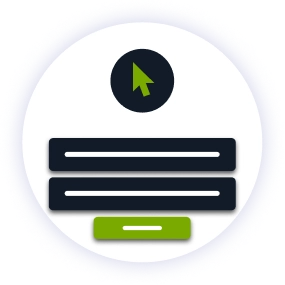
Create your account in seconds. Start with our forever-free plan or choose premium for unlimited streaming.
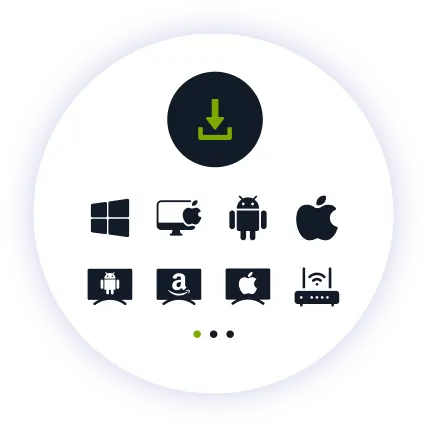
Install our user-friendly app. Available for iPhone, iPad, Android, Windows, Mac, Amazon Fire TV Stick, and more.
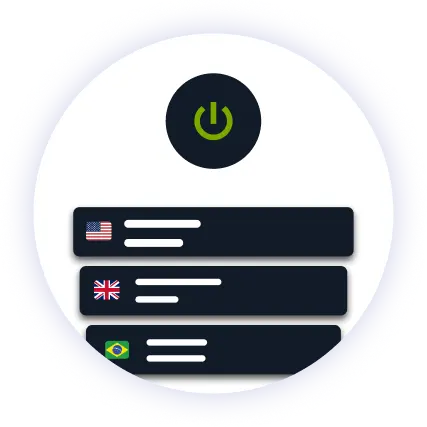
Pick a South Korean location from the server list and hit connect. Open Wavve and your library loads automatically.
Wavve checks incoming connections for a South Korean IP address. ZoogVPN encrypts your traffic so your connection does not stand out, and keeps refreshing its streaming IPs so you are not left stuck on one that has been flagged.
A gripping episode of your favorite drama is the worst moment for buffering, and ISPs sometimes throttle streaming traffic during busy hours. Our encrypted tunnel hides what you are streaming, so your provider cannot single out your connection and slow it down.
You don't even need to pay to get started. Our Free access includes 5 locations in Washington, London, Singapore, Amsterdam and Dusseldorf, so you can try streaming before picking a plan and organising Korean billing.
See why millions of users choose us for streaming Wavve
One subscription. Up to 10 devices.
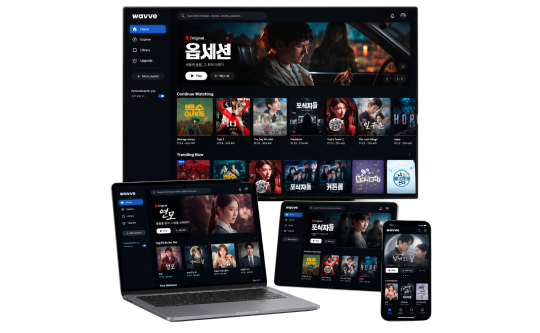
Korean drama belongs on the biggest screen in the house. ZoogVPN offers native apps for Android TV and Amazon Fire TV Stick.
Prefer your laptop or desktop? Our lightweight apps for Windows and macOS get you connected in seconds.
Prefer watching on the go? Stream Wavve straight from your phone or tablet with our mobile apps.
Consistent high ratings across all platforms and devices.
ZoogVPN is a promising VPN with fast speeds, a private logging policy, and a good free version. ZoogVPN is a great choice if you want to unblock Netflix.

ZoogVPN was a true discovery for us, with an offering that matches even some of the industry’s biggest names while being available at the lowest prices on the market or even for free.

Reliable servers, zero logging, and a fine balance between privacy and leisure. ZoogVPN offers all that, and more.

When we talk about ZoogVPN it is a very good VPN to use. It provides a safe and secure VPN service so that you can surf the internet without any restrictions.
ZoogVPN is easily one of the fastest VPNs I’ve ever tested. The provider has reliable connections, and I didn’t experience a single drop on the servers I tested.
ZoogVPN is fast on both short distance and long distance servers as we recorded a speed loss of only 25%, which really impressed us.”



Everything you need to know about privacy, speed, and features.
Yes, with a VPN that keeps a reliable South Korean server. Wavve checks your location for every stream. ZoogVPN runs dedicated streaming servers and rotates them regularly, so you are not left on a flagged address.
Likely, in practice. Korean streaming services commonly require a Korean phone number and local payment method for signup, so plan for this in addition to a VPN connection.
South Korea only for the core app. It is not available in the UK, Japan, the US or anywhere else without a South Korean VPN connection.
Not with ZoogVPN. Our high-speed 1 Gbps servers are optimized for streaming, so playback stays smooth without trading away your privacy.
Yes. Connect to a South Korean server and Wavve loads your usual library, the same way it would if you had never left.
Korean drama, variety shows, films, documentaries and live TV from KBS, MBC and SBS.
Fire TV Stick: install ZoogVPN from the App Store. Android TV: find it on Google Play. No app store (Samsung, LG, Sony)? Install ZoogVPN on your router and every device on that Wi-Fi, TV included, is covered automatically.
A South Korean location for the best speed and reliability. If one address stops working entirely, try another nearby server.
Wavve is not a global service, it is a South Korea-only product checked by your connection’s location. There is no separate version of it for other regions, only the one that covers South Korea.
That is why having more than one South Korean location matters. Wavve blocks addresses it recognises as VPN traffic, and a single flagged server can leave you stuck. Several locations mean you can move to a working one.