




STREAM YOUTUBE MUSIC MORE PRIVATELY

The Best YouTube Music VPN for Private Streaming While Traveling

YouTube Music’s catalog and pricing depend on your Google Account’s billing country, not your network location, so a VPN cannot switch an existing account to a different region’s catalog. What ZoogVPN does deliver is real: an encrypted connection that keeps your library playing privately and without ISP throttling, wherever you are.

  • Encrypted, private streaming of your library
  • Keep your account working the same while traveling
  • No ISP throttling or buffering
  • Works on all your devices
4.7
Streaming youtube music hero img

Why Use a VPN for YouTube Music?

YouTube Music is worth being upfront about. Your catalog and pricing are set by your Google Account’s billing country, not by your network location, so a VPN’s IP change alone does not switch you to another region’s library. What a VPN does give you with YouTube Music is genuinely useful: an encrypted connection your ISP cannot see into, so it cannot throttle streaming traffic, plus your own library working exactly as normal while you are traveling.

What to Know Before Using a VPN with YouTube Music

Your YouTube Music region comes from your Google Account's billing country, not your server location. Here is what that means in practice.

Server Location Does Not Change Your Catalog

Free server
Flag United Kingdom
Server London

Connecting to a UK server will not switch you to the UK catalog or pricing. Your account is tied to your Google Account's billing country, which a VPN does not touch.

How to get UK location

Same Is True Here

Premium server
Japan Flag
Server Tokyo

A Tokyo connection does not grant Japan's pricing either, for the same reason. Only changing your Google Account's country does that, and it can only be done about once a year.

How to get JP location

What a VPN Actually Helps With

Free server
Flag USA
Server USA

Any server, including a US one, keeps your own existing account private and free of ISP throttling. It is a privacy and speed upgrade, not a region-unlock tool.

How to get USA location

How to Stream YouTube Music Privately With a VPN?

Since your account stays exactly the same regardless of server location, adding a VPN for privacy and throttling protection takes 3 short steps.

Step 1

Get ZoogVPN

Create your account in seconds. Start with our forever-free plan or choose premium for unlimited streaming.

Step 2

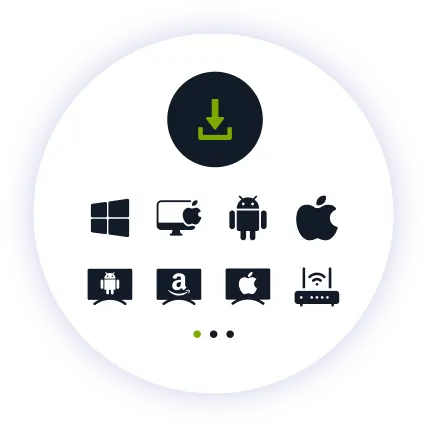
Install the App

Install our user-friendly app. Available for iPhone, iPad, Android, Windows, Mac, Amazon Fire TV Stick, and more.

Step 3

Connect and Listen

Connect to any nearby server for the best speed. Open YouTube Music and your library plays as usual, with your traffic encrypted end to end.

Why ZoogVPN is a Good Match for YouTube Music Streaming

Get Past Geo-Restrictions

YouTube Music already knows who your account belongs to through your Google Account. What ZoogVPN adds is protection your ISP cannot see past: an encrypted tunnel that stops them throttling streaming traffic, and keeps your listening habits off their radar.

Stop Buffering

ISPs sometimes throttle streaming traffic during busy hours, especially on shared networks. Our encrypted tunnel hides what you are streaming, so your provider cannot pick out your connection and slow it down.

Test Before Spending

You don't even need to pay to get started. Our Free access includes 5 locations in Washington, London, Singapore, Amsterdam and Dusseldorf, so you can try ZoogVPN alongside YouTube Music before picking a plan.

ZoogVPN vs Average VPN for YouTube Music

See why millions of users choose us for streaming

Get Premium Now
Feature
Average Free VPN
ZoogVPN Premium
Speeds for Streaming YouTube Music
Throttled & Slow
1 Gbps servers for smooth streaming
Traffic Privacy
Basic
Full Encryption from Your ISP
Bandwidth Limit
Capped (e.g. 5GB/month)
Unlimited
Simultaneous Devices
1 Device only
Up to 10

Privacy on Every Screen

One subscription. Up to 10 devices.

Stream YouTube Music on Android TV & Firestick

Want your library filling the room? ZoogVPN offers native apps for Android TV and Amazon Fire TV Stick.

  • Search for “ZoogVPN” in your TV’s app store and install it.
  • Log in and connect to a nearby server.
  • Open YouTube Music and start listening.

Stream YouTube Music on Windows & macOS

Prefer your laptop or desktop? Our lightweight apps for Windows and macOS get you connected in seconds.

  • Download and install the ZoogVPN desktop app.
  • Sign in and connect to a nearby server.
  • Open YouTube Music in your browser and hit play.

Stream YouTube Music on iOS & Android

Listening on the move? Keep your library private with our mobile apps.

  • Download ZoogVPN from the App Store or Google Play.
  • Log in, tap connect and choose a nearby server.
  • Open YouTube Music and listen on the go.
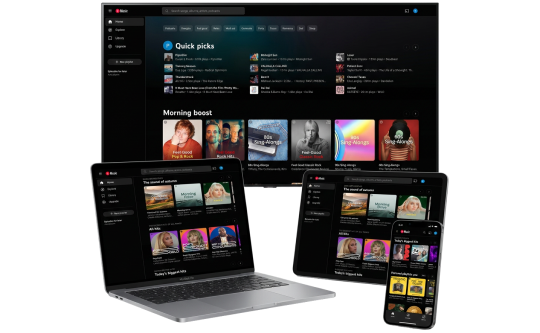
youtube music Devices

Trusted by Experts. Loved by Users.

Consistent high ratings across all platforms and devices.

Frequently Asked Questions

Everything you need to know about privacy, speed, and features.

Does a VPN unlock another country's YouTube Music catalog?

No, not on an existing account. Your catalog and pricing are tied to your Google Account’s billing country, and Google confirms this can only be changed directly through your account settings, not by changing your IP address.

What does a VPN actually do for YouTube Music then?

It adds real encryption, so your ISP cannot see or throttle your streaming traffic, and keeps your listening private on any network you connect to.

Will YouTube Music still work the same while I'm traveling?

Yes. Since your account depends on your Google Account’s billing country rather than your location, YouTube Music keeps working the same wherever you are, with or without a VPN.

Does a VPN slow down YouTube Music?

No, not with ZoogVPN. Our high-speed 1 Gbps servers are optimized for streaming, so playback stays smooth while your connection stays private.

Does YouTube Music block VPN connections?

Google does detect and block some known VPN IP ranges, especially free or shared ones. ZoogVPN runs dedicated streaming servers and rotates them regularly, so you are not left on a flagged address.

How do I actually change my YouTube Music region?

Through your Google Account’s payment profile directly, not through a VPN. Google allows this roughly once a year and requires a local address and payment method for the new country.

How do I set up a VPN for YouTube Music on my TV?

Fire TV Stick: install ZoogVPN from the App Store. Android TV: find it on Google Play. No app store (Samsung, LG, Sony)? Install ZoogVPN on your router and every device on that Wi-Fi, TV included, is covered automatically.

Which server should I use for YouTube Music?

Whichever is closest to you for the best speed. Since server location does not change your account’s region or pricing, there is no need to pick a specific country for that reason.

Why Encryption Matters More Than Location for YouTube Music

YouTube Music ties your catalog and pricing to your Google Account’s billing country, which means a VPN cannot be sold here as a way to unlock another region’s pricing. What still matters is what happens to your traffic once you are legitimately listening.

An encrypted VPN connection keeps your ISP from seeing or throttling streaming traffic, and keeps your listening activity away from anyone monitoring the network you are on. That is real value YouTube Music listeners get from a VPN, separate from any region-unlocking claim.

Get ZoogVPN Set Up in Minutes. Stream YouTube Music Privately, Wherever You Are.

Get ZoogVPN Now