33 guides · Beginner-friendly

VPN Basics: Everything You Need to Understand a VPN

Plain-English explainers on what a VPN is, how the encryption works, what IP addresses and DNS actually do, and the online threats VPNs protect against, all in short, scannable guides.

Guides
33
Topics
6
Min each
3-9
Updated
2026
  • Independently audited no-logs policy
  • 256-bit AES encryption
  • 120+ locations in 80+ countries
  • 7-day money-back guarantee

What is “VPN Basics”?

The ideas every other VPN topic builds on, in plain words.

VPN basics covers the fundamental concepts behind virtual private networks, how a VPN routes and encrypts your traffic, what an IP address is, how DNS works, what features like the kill switch and split tunneling do, and the privacy threats VPNs protect against. This hub is the entry point: start with What is a VPN? if you are completely new, or jump straight to a topic below.

VPN Fundamentals

The core concepts: what a VPN is, why people use one, the myths, and how consumer and business VPNs differ. Start here if you've never used a VPN before.

6 guides

9 min read

What is a VPN and How Does It Work?

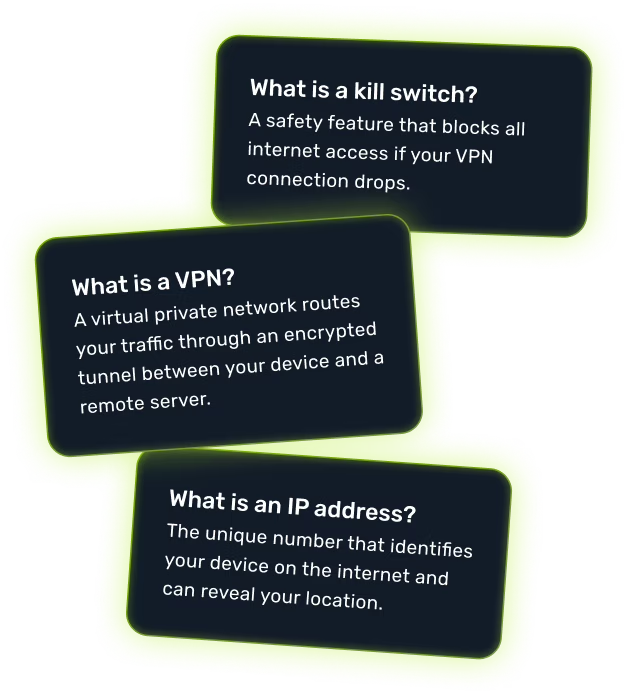
A VPN routes your traffic through an encrypted tunnel between your device and a remote server, hiding your IP and your activity.

Read more

7 min read

Benefits of Using a VPN

Privacy from your ISP, safer public Wi-Fi, geo-unblocking, cheaper flights, and remote-work security, the real-world wins of a VPN.

Read more

5 min read

The Biggest VPN Myths Debunked

"VPNs make you fully anonymous," "free VPNs are safe," "you don't need one with HTTPS", what's true and what isn't.

Read more

6 min read

Are VPNs Obsolete in 2027?

With HTTPS, DNS-over-HTTPS, and Apple Private Relay, do VPNs still matter? An honest look at what they still uniquely do.

Read more

6 min read

What is a Business VPN?

A corporate VPN lets employees securely access internal company resources from anywhere. How it differs from a consumer VPN.

Read more

4 min read

Do You Need a VPN on Cellular Data?

Yes, your carrier still sees your traffic on 4G/5G. Here's exactly what a VPN hides from your mobile provider.

Read more

Core VPN Features

The features inside every good VPN: the encrypted tunnel, kill switch, split tunneling, SOCKS5 proxy, and built-in ad blocking, what they do and when you actually need them.

5 guides

5 min read

What is a VPN Tunnel?

The encrypted pathway your data travels through between your device and the VPN server. The literal "private" part of VPN.

Read more

6 min read

What is a VPN Kill Switch?

A safety feature that blocks all internet access if the VPN connection drops, preventing accidental IP leaks.

Read more

5 min read

What is Split Tunneling?

A feature that lets you choose which apps or sites go through the VPN and which use your regular connection.

Read more

5 min read

What is a SOCKS5 Proxy?

A proxy protocol that hides your IP without encrypting your traffic. Faster than a VPN but with weaker privacy.

Read more

4 min read

How Does Ad Blocking Work?

VPN-level ad blockers stop ads, trackers and malicious domains at the DNS layer, before they ever load.

Read more

Encryption & Security

The maths and methods that keep your data unreadable: AES-256, end-to-end encryption, cloud encryption, and second-factor authentication.

4 guides

6 min read

What is End-to-End Encryption?

A method where only the sender and receiver can read the data, no server, app, or provider in between has the key.

Read more

5 min read

What is Military-Grade Encryption?

A marketing term for AES-256, the encryption standard used by the US government and modern VPNs.

Read more

5 min read

What is Cloud Encryption?

How data stored in Google Drive, iCloud, Dropbox and others is encrypted, and where the gaps in that protection are.

Read more

4 min read

What is Two-Factor Authentication (2FA)?

A second verification step (usually a code or app) that protects accounts even if your password is stolen.

Read more

Why Understanding the Basics Actually Matters

Most VPN guides skip straight to “pick the best provider”, but if you don’t understand what an IP address does, why a DNS leak matters, or what a kill switch is actually switching, it’s impossible to tell good marketing from real privacy. The pieces in this hub explain the moving parts in plain English, so when a VPN provider says “RAM-only servers” or “no-logs policy”, you know exactly what’s being promised and what could still go wrong.

The articles are short by design, most take three to nine minutes, and each one ends with links to the next logical concept. Read them in any order, but if you’re starting cold, work through the VPN Fundamentals section first.

Network & IP Basics

The plumbing of the internet: IP addresses, DNS, Wi-Fi names, and what leaks when something goes wrong. Read these to understand what a VPN is hiding and what it isn't.

7 guides

5 min read

What is an IP Address?

The unique number every internet-connected device has. It identifies your device and can roughly reveal your location.

Read more

5 min read

What is DNS?

The Domain Name System, the internet's phonebook that translates names like google.com into machine-readable IP addresses.

Read more

6 min read

What is a DNS Leak?

When DNS queries bypass the VPN tunnel and reach your ISP, exposing every site you visit even though the VPN is on.

Read more

4 min read

Static vs. Dynamic IP Address

Static IPs stay the same; dynamic IPs rotate. Which one your home and your VPN use, and when it matters.

Read more

5 min read

What is IP Rotation?

Automatically cycling between different IP addresses on a schedule, common in scraping, anti-fingerprinting, and some VPN modes.

Read more

4 min read

Why is My IP Address Location Wrong?

IP geolocation databases are often outdated. Why your IP can show the wrong city, even without a VPN.

Read more

3 min read

What is an SSID?

The Service Set Identifier, the public name of a Wi-Fi network, and why hiding it is a privacy myth.

Read more

6 min read

What is a Mirror Site?

An exact copy of a website on a separate server and address. Why mirrors exist and how they keep blocked sites reachable.

Read more

Online Threats & Privacy Risks

The attacks and tracking methods a VPN partially or fully protects against: phishing, malware, the dark web, juice jacking, digital footprints, and geo-targeting.

7 guides

6 min read

What is Phishing?

Scams that trick you into handing over passwords, money, or 2FA codes, usually through fake emails or websites.

Read more

7 min read

What is Malware?

Any software designed to damage, spy on, or steal from your device, viruses, ransomware, spyware, and trojans.

Read more

7 min read

What is the Dark Web?

The encrypted slice of the internet accessible only via the Tor browser. What's actually there and the risk of going.

Read more

4 min read

What is Juice Jacking?

An attack via compromised public USB charging ports that can install malware or steal data from your phone.

Read more

4 min read

What is a Mirror Site?

A copy of a website hosted at a different URL, used to bypass blocks legitimately and to host phishing scams.

Read more

5 min read

What is Geo-Targeting?

How sites change content, prices, and ads based on your physical location, and how a VPN flips the script.

Read more

5 min read

What is a Digital Footprint?

The trail of data, accounts, posts, cookies, browsing history. You leave behind online, and how to shrink it.

Read more

Performance & Use Cases

How fast your VPN actually is, what latency means, how to test if your VPN is working, and the special case of IoT devices.

4 guides

5 min read

Does a VPN Slow Down Your Internet?

Yes, a little. Here's how much (usually under 10% on WireGuard) and the three biggest factors that affect it.

Read more

4 min read

What is Latency?

The delay between you sending data and the server receiving it, measured in milliseconds. Why it matters for gaming and video calls.

Read more

5 min read

How to Check Your VPN is Working

Three free tests: IP check, DNS leak test, and WebRTC test. That confirm your VPN is actually hiding what it claims to.

Read more

5 min read

What is an IoT VPN?

A VPN configured at the router level to protect smart-home devices, bulbs, cameras, TVs. That can't run a VPN app themselves.

Read more

Done With the Basics? Go Deeper

Each hub below is a complete library on its own topic. Logical next steps once you understand the fundamentals.

Online Privacy

Hide your IP, stop tracking, dodge ISP surveillance and data brokers.

VPN Legality

Where VPNs are legal, where they’re restricted, country-by-country laws.

Comparisons

VPN vs proxy, Tor vs VPN, free vs paid, head-to-head explainers.

VPN Protocols

WireGuard, OpenVPN, IKEv2, L2TP, speed and security compared.

Quick Answers to the most-asked basics questions

The shortest possible answer to the things people ask first. Each links to the full guide.

Is streaming with a VPN legal?

Which streaming service works best with a VPN?

Will I get buffering or lower video quality?

Can the streaming service tell I'm using a VPN?

Do I still need to pay for the streaming service?

Can I share my account with family in different countries?

What if my chosen service isn't on the list?

🔥 Limited offer · 75% off

Now You Know the Basics. Put Them to Use.

Encrypt every connection on every device with ZoogVPN, the audited no-logs VPN built for speed and privacy. 7-day money-back guarantee.

  • 7-day money-back guarantee
  • Cancel anytime
  • 24/7 live chat support