
How to watch MEGOGO abroad? Use a VPN for MEGOGO
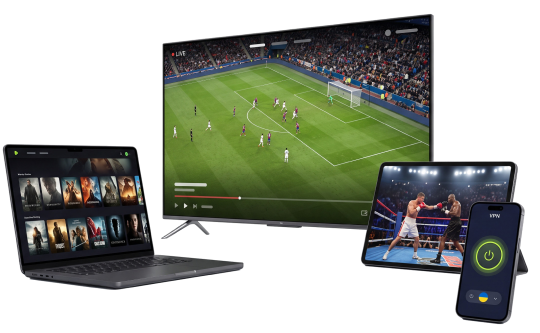
Football, boxing, films, series and TV channels from the Ukrainian MEGOGO catalogue, even when you are abroad. Connect to a ZoogVPN server in Ukraine and watch without limits.
- Ukrainian servers in Kyiv and other cities
- Speed that holds up for Full HD streaming
- Up to 10 devices on one subscription



- 7-day money-back guarantee
MEGOGO not working? 3 simple steps to unblock it
Takes about a minute. No technical knowledge needed.
Get ZoogVPN Premium
A subscription opens every server at once, the Ukrainian ones included. Those are exactly what you need to watch MEGOGO abroad.
Connect to a server in Ukraine
Install the app on Windows, macOS, Android or iOS, or set the VPN up on your TV. Any Ukrainian server will do, Ukraine, Kyiv for example.
Open MEGOGO
Sign in to your MEGOGO subscription and your device picks up a Ukrainian IP address. Watch films, football, boxing and TV channels just like at home.
Speed tip
MEGOGO runs steadily not only through ZoogVPN servers in Ukraine. If you are far from Ukraine, try the server nearest to you, in the United States, the United Kingdom, Spain or Germany for example. Latency will be lower and the stream will play without buffering.
How to watch MEGOGO abroad: a video guide
See how to connect to a Ukrainian ZoogVPN server and open MEGOGO in about a minute.
Why is MEGOGO not working?
A short look at the service and at how to get the Ukrainian catalogue back.
What is MEGOGO?
MEGOGO is a popular media service with films, series, TV channels, audio and live sport. It is valued above all for the sport in its Ukrainian catalogue: the Premier League, the Champions League, Setanta Sports and boxing nights.
Why does MEGOGO stop working?
Apart from the odd technical glitch, the usual reason is that outside Ukraine MEGOGO is only partly available, or not available at all. The most interesting content often sits in the Ukrainian catalogue alone, and that needs a Ukrainian IP address.
What to do when MEGOGO will not play
Most likely MEGOGO is restricted in your country. Connect to a Ukrainian ZoogVPN server and you get MEGOGO back, together with its largest catalogue of films, series and sport.
MEGOGO football channels abroad
MEGOGO Football 1, MEGOGO Football 2 and the other sport channels are shown in Ukraine only. Here is how to watch them from any country.
Why is football blocked?
Football rights are sold region by region, so MEGOGO shows its sport channels in Ukraine only. Open the service from another country and it sees where you are and shuts the broadcast off.
Why not every VPN will do
Plenty of VPNs with a Ukrainian IP open MEGOGO films and series, yet the football channels stay blocked all the same. ZoogVPN Ukrainian servers are tuned so that football runs steadily.
Why ZoogVPN for MEGOGO
Everything you need for a calm evening of matches and films.
Steady connection
No lag and no buffering, which matters most of all for live broadcasts.
Security
Encrypted data and personal information kept away from third parties.
Any device
Phones, tablets, computers and Smart TVs on one subscription.
Simple to use
A clear app: pick Ukraine and press Connect.
MEGOGO on any TV
Watch MEGOGO football, films and series on Google TV, Android TV and Fire TV Stick. Find the ZoogVPN app in Google Play, install it, pick a server in Ukraine and connect. If your TV does not run apps, set ZoogVPN up on your router.
How do you watch MEGOGO abroad?
MEGOGO works in many countries, but the largest catalogue of films, series and sport is the Ukrainian one.
MEGOGO in Poland
MEGOGO works in Poland through the Play operator, but a good deal of films, series and above all live sport is missing there. With ZoogVPN you watch the Ukrainian catalogue.
MEGOGO in Germany
MEGOGO is available in Germany, yet the library is smaller than the Ukrainian one. Connect to a Ukrainian server for the broadcasts and films you will not find otherwise.
MEGOGO in Spain
MEGOGO is not available in Spain at the moment. ZoogVPN Ukrainian servers open the full library, on Android TV as well.
MEGOGO in the United States
MEGOGO does not open its library in the United States. With ZoogVPN, Ukrainians in America watch their favourite shows and sport in Full HD.
MEGOGO in Canada
MEGOGO is not available in Canada either. Connect to a server in Ukraine and watch films, series and sport on any device.
In some other country?
It is simple: connect to the Ukraine, Kyiv server and MEGOGO will work as it does at home.
Get ZoogVPN →Ukrainian content available everywhere with ZoogVPN
ZoogVPN is tuned for streaming, so its Ukrainian servers open MEGOGO without any fuss.
- ✓Several Ukrainian servers, so there is always a free and fast one
- ✓Football, boxing and TV channels in Full HD
- ✓Works on a phone, a laptop, Android TV and a router
- ✓Encryption and a no-logs policy
- Get ZoogVPN →
Free plan or Premium
MEGOGO needs a Ukrainian server, so Premium is the one to take.
Privacy on every screen
One subscription. Up to 10 devices.
Watch MEGOGO on Android TV and Firestick
MEGOGO is built for the biggest screen in the house. ZoogVPN has its own apps for Android TV and Amazon Fire TV Stick.
- Find “ZoogVPN” in your TV app store and install it.
- Sign in and connect to a Ukrainian server.
- Open MEGOGO and watch your films and TV channels.
Watch MEGOGO on Windows and macOS
Prefer a laptop or a desktop? Our light apps for Windows and macOS connect in seconds.
- Download and install the ZoogVPN desktop app.
- Sign in and connect to a Ukrainian server.
- Open MEGOGO in your browser and press Play.
Watch MEGOGO on iOS and Android
On the move and the match has already started? Watch MEGOGO straight from your phone or tablet in our mobile apps.
- Download ZoogVPN from the App Store or Google Play.
- Sign in, press Connect and pick Ukraine.
- Launch MEGOGO and watch from anywhere.
Trusted by Experts. Loved by Users.
Consistently high ratings across every platform and device.
ZoogVPN is a promising VPN with fast speeds, a private logging policy, and a good free version.

ZoogVPN was a true discovery for us, with an offering that matches even some of the industry’s biggest names while being available at the lowest prices on the market or even for free.

Reliable servers, zero logging, and a fine balance between privacy and leisure. ZoogVPN offers all that, and more.

ZoogVPN prides itself on providing privacy solutions to combat censorship and internet barriers around the world, helping customers protect their data with bank-grade encryption and a no-logs policy.




Frequently Asked Questions
MEGOGO abroad, in short.
Can I watch MEGOGO abroad?
Yes, though the catalogue differs from country to country and is sometimes very thin. To watch the Ukrainian MEGOGO catalogue from Germany, for example, connect to a ZoogVPN server in Ukraine.
Can I watch MEGOGO through ZoogVPN on a Smart TV?
Yes. Install the ZoogVPN app on Google TV, Android TV or Fire TV Stick. For other TVs, set the VPN up on your router.
Will a VPN make the stream worse?
No. ZoogVPN keeps speeds high, so matches play in HD without freezing. Every Ukrainian server on the list is fit for football.
Which MEGOGO channels can I unblock with ZoogVPN?
The whole Ukrainian MEGOGO catalogue, the sport channels MEGOGO Football 1, MEGOGO Football 2 and the other football channels included.
Can I watch MEGOGO in Poland?
Yes, MEGOGO works in Poland, but part of its films and live sport is not available there. Connect to a server in Ukraine to open the full Ukrainian catalogue.
MEGOGO is not available abroad. What now?
Install ZoogVPN, connect to the Ukraine, Kyiv server and open MEGOGO. Your device gets a Ukrainian IP address and the service works just as it does at home.
How do I watch football on MEGOGO abroad?
Connect to a Ukrainian ZoogVPN server and open the broadcast in MEGOGO. For a steady picture, pick the least loaded server and the WireGuard protocol.
How do I watch boxing on MEGOGO abroad?
The same way as football: take ZoogVPN Premium, connect to a server in Ukraine and open the fight in MEGOGO.
Do I need a separate MEGOGO subscription?
Yes. ZoogVPN gives you a Ukrainian IP address, but paid MEGOGO content still needs your own MEGOGO subscription.
How many devices does ZoogVPN work on?
One Premium subscription works on 10 devices at once: Windows, macOS, iOS, Android, Android TV, Fire TV and a router.